


Zoom
Zoom gives you control over how much detail you see in the waveform. Whether you want a broad view of the track’s structure or a close-up look for precision, djay lets you adjust the zoom level to your needs.
Each waveform offers four levels of zoom, so you can see as much detail as you need.
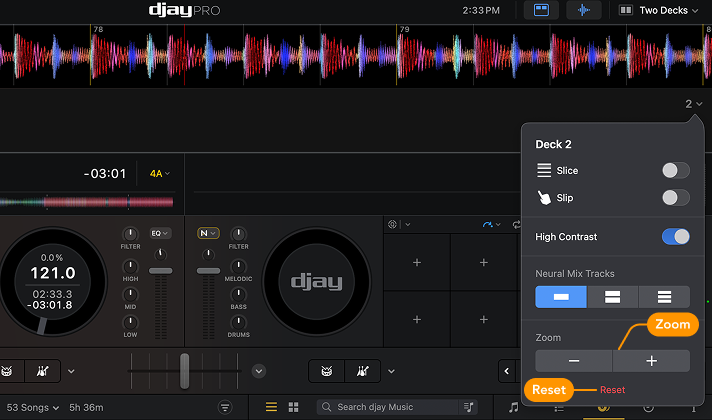
How to use Zoom
- Open the waveform dropdown menu and scroll to the Zoom section.
- Click + to zoom in.
- Click – to zoom out.
- Click the Reset button to return to the default zoom level.
Zoom is especially helpful when beatmatching manually or placing cue points with precision.