Using Automix
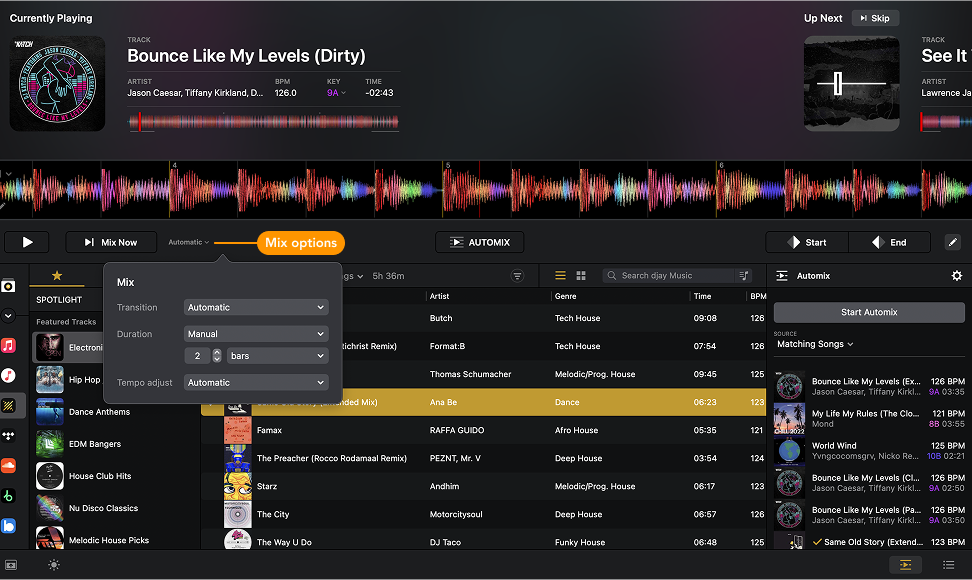
Automix takes the work out of mixing by blending tracks for you. Whether you’re setting the vibe for a party, practicing new transitions, or just want continuous music without worrying about manual mixing, Automix keeps your playlist flowing smoothly. You can customize how transitions sound, how much of each track gets played, and let djay suggest the next song.
How to use Automix
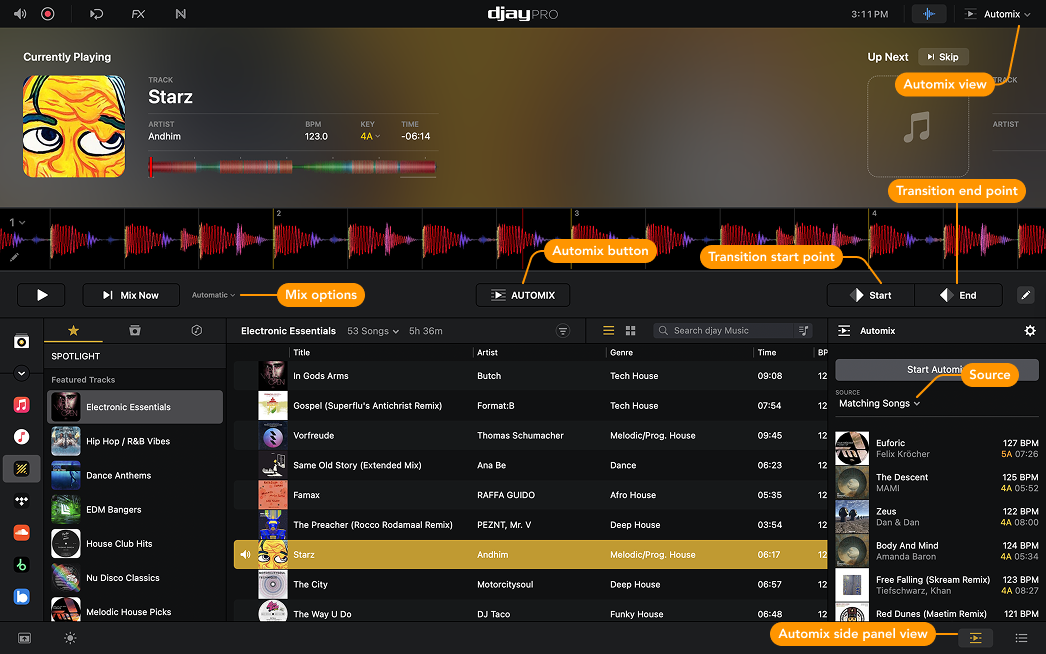
- Switch to Automix view via View Modes or open Automix via the side panel view.
- The Automix side panel will show your currently selected playlist as the play queue.
- Choose your Mix and Transition settings.
- Set start and end points for transitions—automatically or manually.

- Click the Automix button to begin.
- Repeat or shuffle your queue.
Click Skip to jump to the next track. To start the next transition immediately, click Mix Now—djay will find the earliest suitable blend point.
Automix panel
The Automix panel helps keep your music flowing. There are three ways to add tracks.
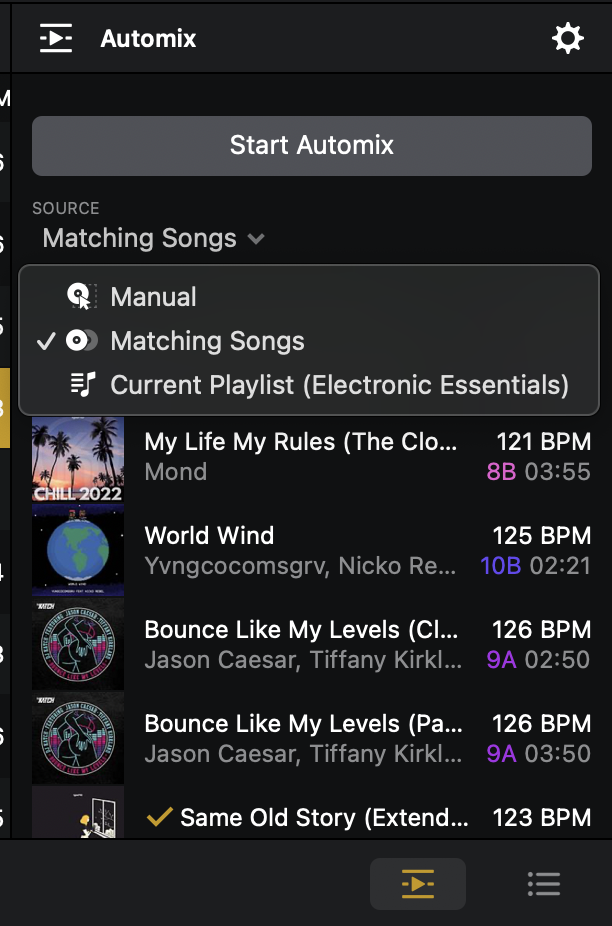
Manual
Add music manually using drag-and-drop to build your playlist.
Matching Songs
Let djay’s AI suggest compatible tracks based on the currently playing song.
Current Playlist
Load all tracks from the selected playlist and play them in order.
Switch between sources using the Source dropdown at the top of the panel.
Automix settings
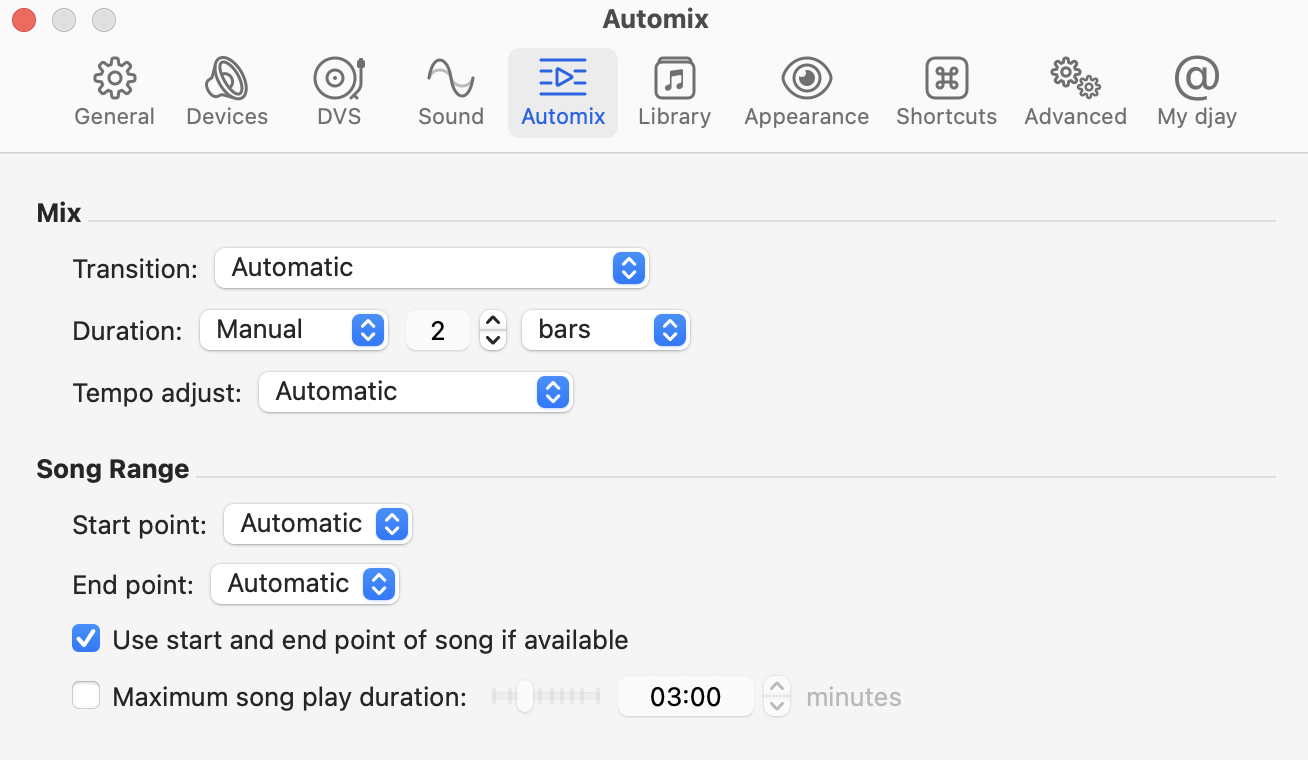
Automix settings let you control how your tracks are blended.
-
Transition
Choose from creative transitions like Filter, Echo, Tremolo, Riser, Neural Mix™, and more.tipThe Automatic transition acts like a shuffle, randomly selecting different transition types. It’s a great way to experiment and discover your favorite effects.
-
Duration
Set transition length in bars or seconds, or let djay decide with Automatic mode. -
Tempo adjust
Select how djay matches tempo:- Automatic
- Sync
- Sync + Tempo Blend
The automatic tempo adjust helps create smoother transitions by automatically aligning the BPM of incoming tracks. If there’s a noticeable tempo difference, djay adjusts the BPM to match the currently playing song.
If the tracks are already close in tempo, the BPM is held at the currently playing song’s BPM to maintain a consistent flow. This ensures fewer jarring jumps in energy and helps your mix sound more polished.
-
Song range
Decide how start and end points are selected—automatically or manually—and limit how much of each track is played.
Mix options
The mix options are a quick-access version of the Automix settings.