


Previewing tracks
Previewing lets you listen to a song before loading it onto a deck, so you can plan smooth transitions and pick the perfect next track. It’s a quick way to audition music privately through your headphones or pre-cue channel while keeping the music moving.
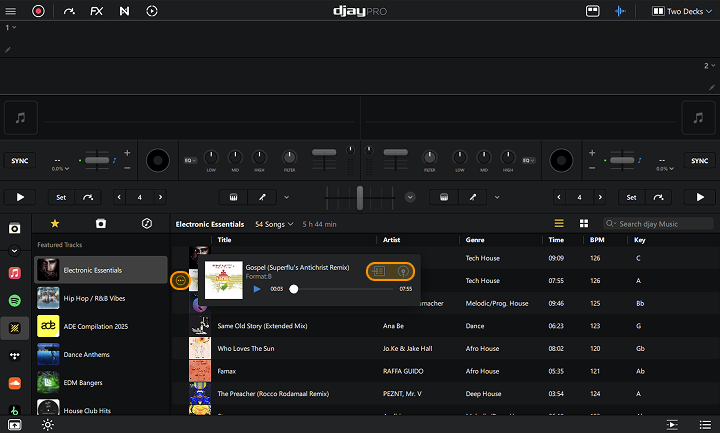
You can preview tracks directly from the library browser without loading them onto a deck.
Previews play through your pre-cue channel, allowing you to listen privately (without the track going through the speakers) before making your next move.
How to preview a track
- Hover the cursor over the track you want to preview.
- Click the three dot menu that appears.
- Click the play button to start the preview.
- The menu also includes options to load the track to a deck or add it to the Queue.
If you're using a controller with an audio interface, previews will play through your headphones.
For more information on pre-cueing, go to the Audio setup and pre-cueing section.