View your history
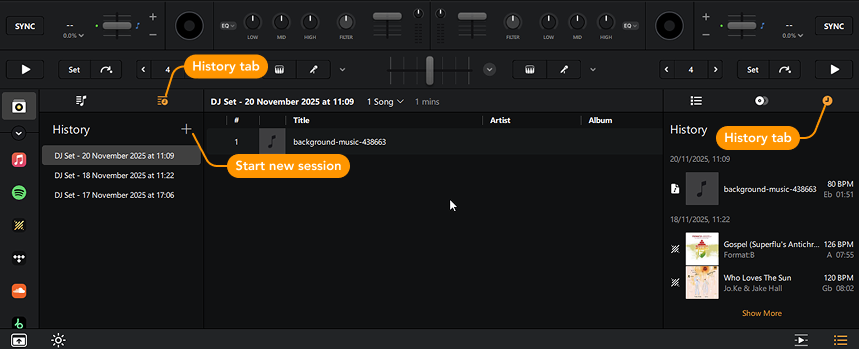
djay automatically tracks every song you play and saves it to a playlist under the History tab. Each session is labeled by date, so you can easily revisit standout mixes or track your setlists over time.
You’ll find the history tab in My Collection and the Library sidebar.
How to start a new History session manually
- Go to the History tab.
- Click the + button at the top of the window.