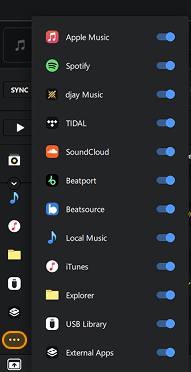
Show or hide libraries
You can tailor djay Pro to your workflow by choosing which music sources appear in your library. This helps keep your browser organized and focused on the collections you use most.
You can customize your library view by choosing which library sources appear in the sidebar.
How to show or hide a library source
- Click the three dots in the sidebar.
- Toggle the library sources you want to show or hide.
Disabling a library source only hides it from view; your content remains intact and is still searchable where applicable.