Adding music to your collection
My Collection lets you manage, edit, and organize your music directly within djay Pro. You can create playlists that combine tracks from different sources—including your local library and supported streaming services—all in one place.

How to add music to My Collection
You can add new tracks to My Collection by dragging and dropping files or folders directly from an Explorer window.
note
Adding tracks to djay Pro only links them to your collection. The original files won’t be duplicated or moved on your device.
How to add music to your collection from an Explorer folder
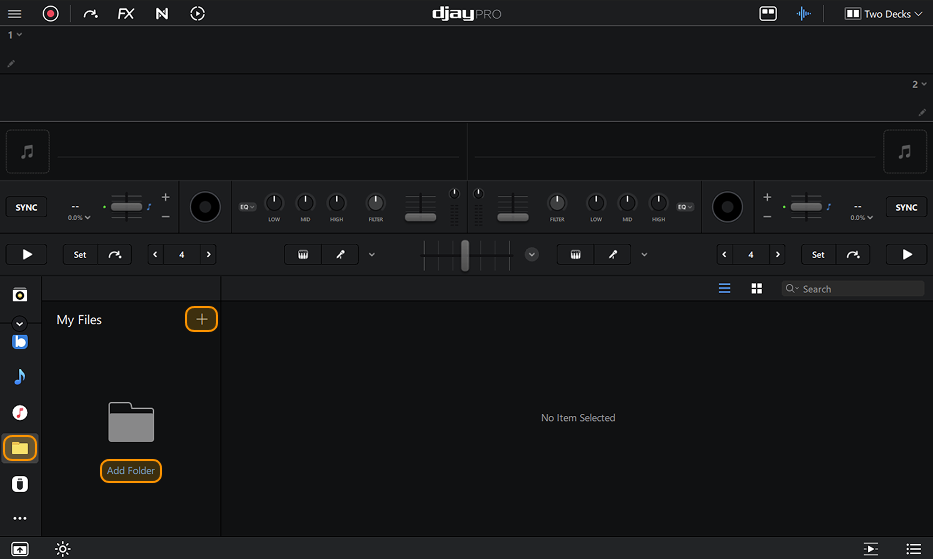
You can browse your music by adding folders from your hard drive, external drives, and USB sticks through the Explorer tab of the library browser.
- Click the Explorer tab in the sidebar.
- Click Add Folder or click the + button.
- Find where your music is stored and click Select folder.