


Adding to Queue
The Queue is a dynamic playlist that helps you keep track of what’s currently playing and what you’ve already played.
You can add tracks to the Queue by dragging them directly from your libraries into the Queue list, or by right-clicking a track and selecting Add to Queue.
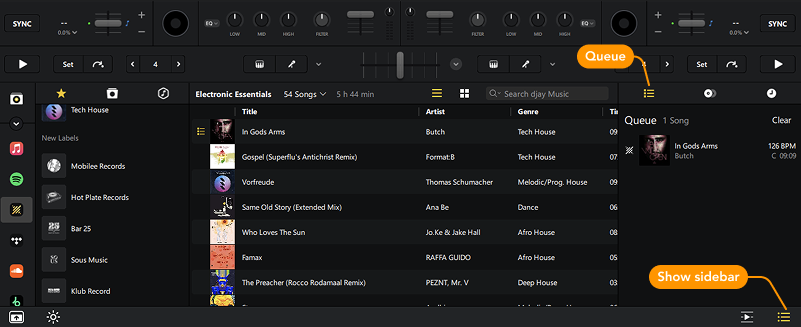
How to open the Queue
- Click the Show Sidebar icon to reveal the library side panel.
- Select the Queue tab to view or edit your current playlist.
We’ll go deeper into the other tabs in the Side panel overview section.
note
Played tracks are marked with a checkmark but are not removed from the queue automatically. To clear them, remove tracks manually or adjust the queue settings under Settings > Library.