


Analyze your music
Analyzing your music helps you understand the dynamics of each track. With information like BPM and Key available at a glance, it’s easier to make smooth transitions and stay focused on your mix.
djay automatically analyzes a track the first time it’s loaded onto a deck. However, this can use additional computing power, especially with larger files. For smoother performance during a set, you can pre-analyze your collection—or specific folders and tracks—in advance as a batch.
How to analyze tracks
- Navigate to the playlist, folder, or track you want to analyze.
- Click the drop-down menu next to the track counter.
- Select Analyze Songs.
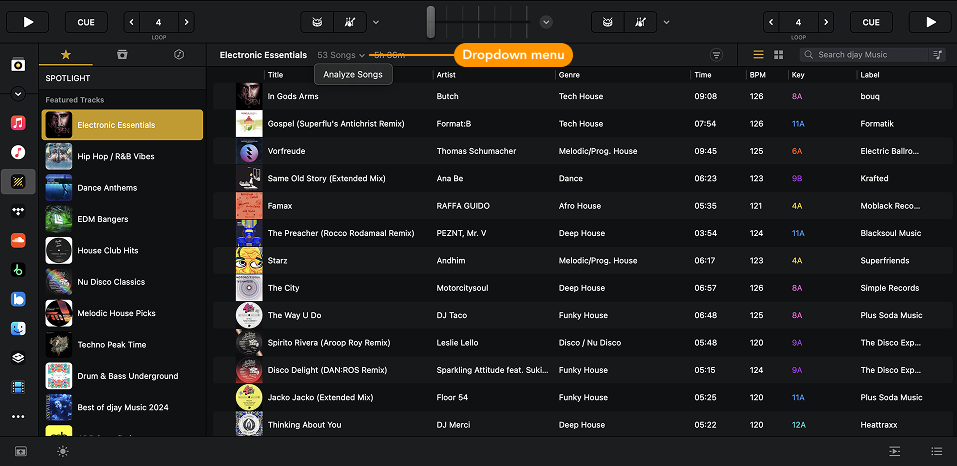
Analyzing large collections can take time and use up system resources. Start the analysis when your computer is idle—overnight or while you're not using it for other tasks is ideal.
Tracks from some streaming services cannot be pre-analyzed.
Export as CSV file
If you want a record of your playlist history to share with friends, or you need to share your latest set for the publishing rights, use Export as CSV file to download your chosen setlist to your device.