Side panel overview
The side panel provides quick access to Queue, History, and Match, making it easy to manage tracks and keep your library organized while DJing.
-
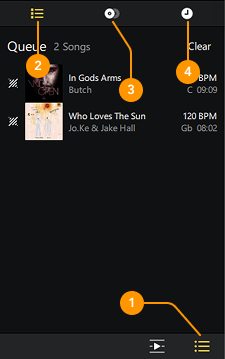
Show side panel: Reveals the side panel options.
-
Queue: View and manage the list of tracks you’ve played and what’s coming up next.
-
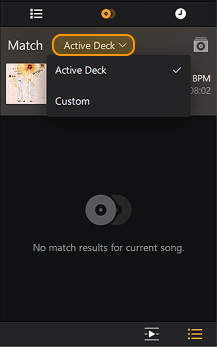
Match: Get intelligent track suggestions that mix well with the song currently playing, or with custom tracks you add to the Match playlist.
The dropdown menus allows you to change the Match sources. You can choose whether Match uses the currently playing track or a custom track from the Match playlist.
-
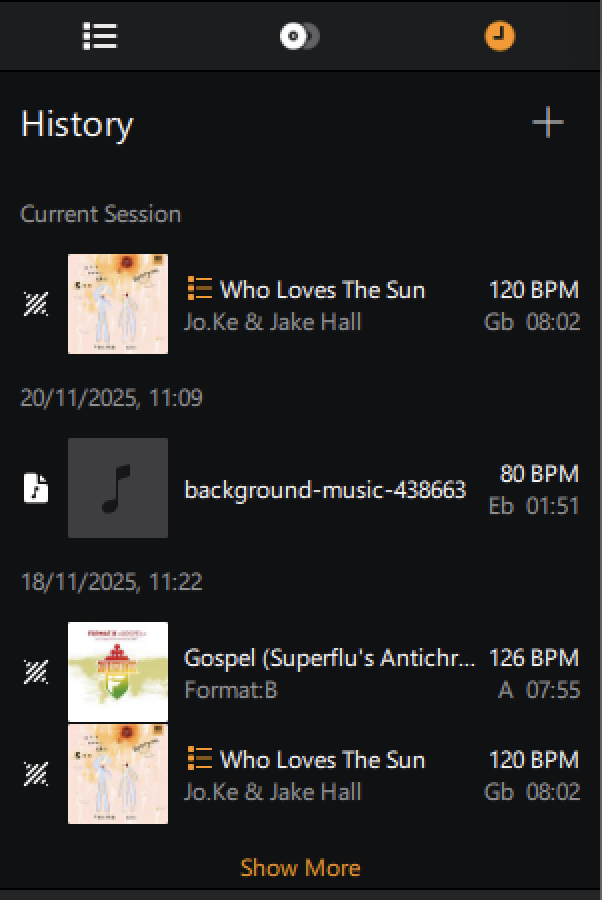
History: Shows tracks and playlist history from your current and past sessions.