


iCloud syncing
iCloud syncing keeps your track data consistent across djay on all your Apple devices. When enabled, djay automatically syncs key track metadata—such as cue points and loop regions—through iCloud. This ensures your performance data is always available, whether you’re using djay on Mac, iPhone, or iPad.
Currently, BPM analysis data cannot be synced.
How to enable iCloud syncing
- Open System settings on your Mac.
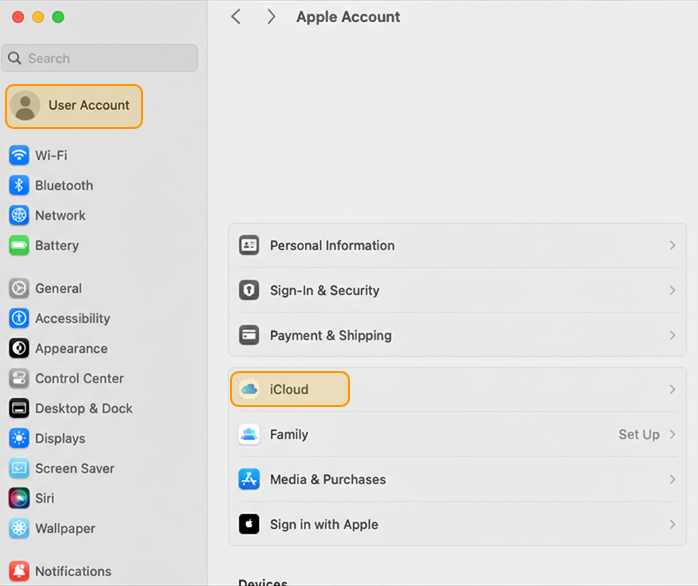
- Click your Apple ID and select iCloud.
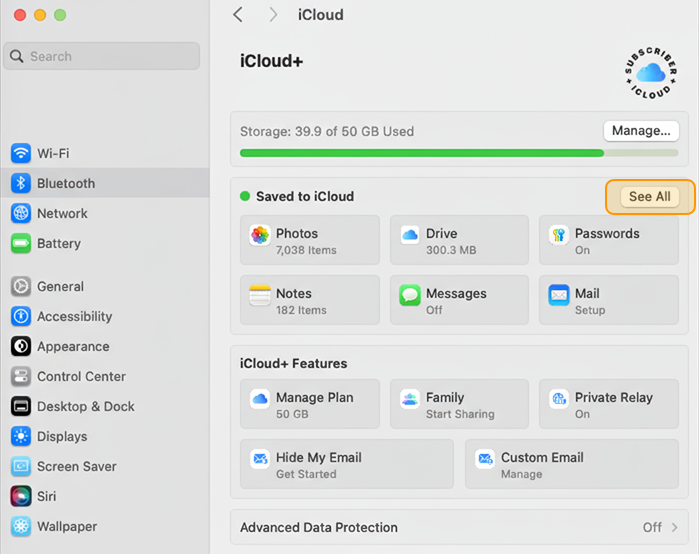
- Click See all in the Saved to iCloud section.
- Make sure that the button next to djay Pro is turned on.

note
The steps may vary slightly based on your macOS version.
For more details on testing and troubleshooting, go to the iCloud syncing support article.