


Automatically import your music
Auto Import keeps your library up to date by automatically detecting new tracks saved to a specified folder on your hard drive. This removes the need to manually import files, streamlining your music management.
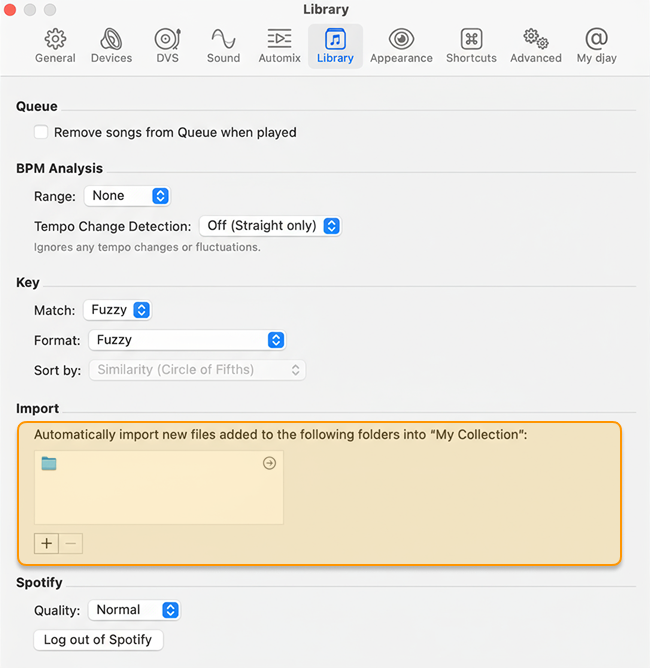
How to set up Auto Import
- Open djay's Settings menu.
- Go to the Library tab.
- Under Import, click the + button to add the folder(s) where your newly downloaded tracks are stored.
djay will now monitor the selected folders and automatically add new music to My Collection.