


How does Sync work?
This article explains how djay's Beat Sync and Tempo Sync modes work, the difference between tempo-only syncing and full beat alignment, and how to manage Sync behavior while mixing.
In djay, Sync can match BPM only, or align tracks together by both BPM and beats. How Sync behaves depends on the mode you choose, how playback is started, and which deck is currently leading.
Sync modes
There are two Sync modes in djay under Settings > General > Sync Mode:
- BPM and Beats
- BPM-only
Sync mode: BPM and Beats
In BPM + Beats Sync mode, djay keeps the tempo and beatgrids of synced tracks aligned during mixing.
When this Sync mode is active a blue outlined SYNC button indicates tempo is synced before playback.

When the synced decks are playing, the SYNC button is shown as a solid blue icon.

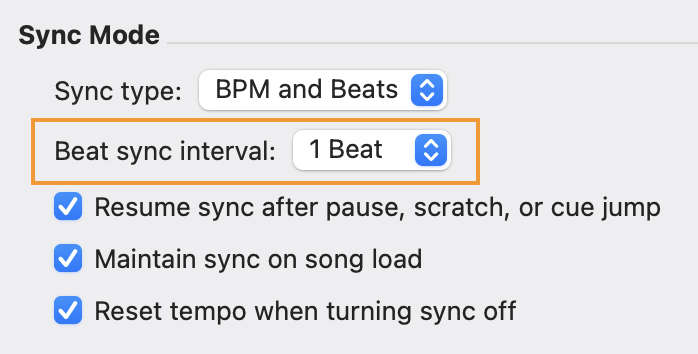
Beat sync interval is a sub-setting under this Sync mode. Choose 1 Beat for smaller adjustments, or 4 Beats to align tracks by full bars.
Sync mode: BPM only
In BPM-only Sync mode, djay matches the tempo (BPM) between decks, but doesn’t align their beat positions. This lets you tempo-match while keeping beat alignment under manual control.
In BPM-only Sync mode, the SYNC text appears in blue when Sync is enabled.

When tracks have very different tempos, Sync focuses on keeping them musically in time rather than matching exact BPM numbers.
How djay chooses the Master deck
When Sync is used, one deck acts as the Master and the other deck follows it. djay does not display a visual indicator showing which deck is currently the Master.
In addition to playback state, Sync also depends on which deck is currently audible. djay uses the channel faders and crossfader position to determine this. A deck that isn’t audible won’t be chosen as the Master deck. This can happen if its channel fader is down or the crossfader is on the opposite side.
Scenario 1: No deck is playing
Two tracks are loaded into Deck 1 and Deck 2, and both decks are stopped with Sync turned off.
In this scenario, the deck you press SYNC on becomes the following deck, and the other deck becomes the Master.
For example, if you press SYNC on Deck 2 (right), Deck 1 (left) becomes the Master deck.
Scenario 2: Two decks are playing
Deck 1 and Deck 2 are both playing, and Sync is turned off.
In this scenario, the deck you press SYNC on becomes the following deck, and the other deck becomes the Master.
For example, if you press SYNC on Deck 2, Deck 2 becomes the following deck and Deck 1 becomes the Master.
Scenario 3: One deck is playing
Deck 1 is playing and audible, while Deck 2 is paused. By default, Deck 1 is treated as the Master.
In this scenario, pressing SYNC on the paused deck prepares it to follow the current Master.
For example, if you press SYNC on Deck 2, Deck 2 will sync to Deck 1 as soon as you start playback on Deck 2.
Changing tempo on synced decks
When SYNC is active and both tracks are playing, moving the tempo slider on either deck continuously adjusts the tempo of both tracks.
Additional Sync settings
Resume sync after pause, scratch, or cue jump
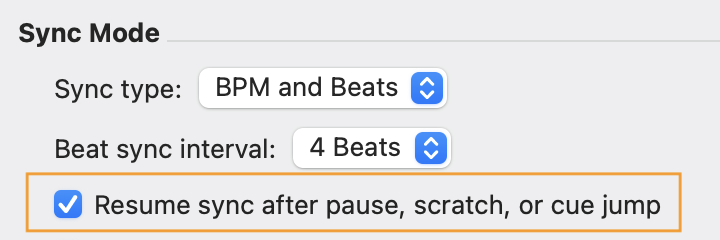
This setting keeps Sync on even when you pause, scratch, or jump within a track, so everything stays in time and you don’t have to turn Sync on again while mixing.
Maintain sync on song load
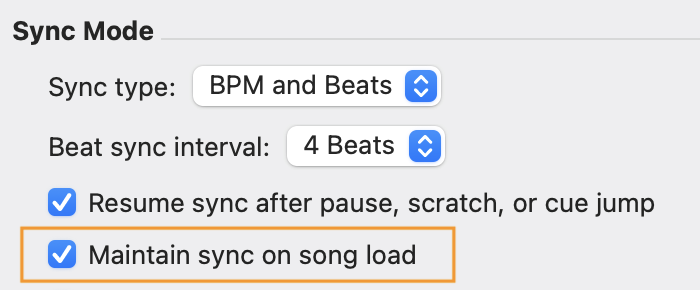
When this setting is enabled loading a new track keeps Sync active and matches it to the current Master tempo automatically.
This works best when Song Loading > Start playback (in Settings > General) is also enabled.
Crossfader FX and Sync
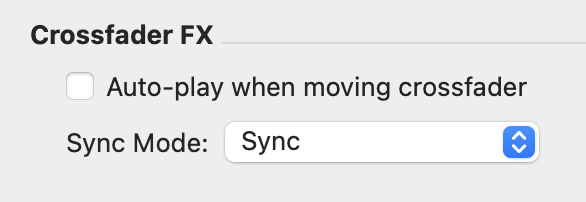
When Crossfader FX is enabled, it can override your selected Sync mode and change how the crossfader behaves. If Sync isn’t working as expected, check Settings > General > Crossfader FX to review your configuration.
Using Sync with an external mixer
When you mix with an external mixer (or an unsupported controller without MIDI control), Sync behavior in djay depends on which deck is currently treated as “active.”
In djay, this is determined by your mix controls — such as:
- whether a channel fader is up
- where the crossfader is positioned
If your external mixer doesn’t send MIDI, djay may not be able to detect channel fader and crossfader movements. As a result, djay might not always choose the expected deck for Sync, and Sync can feel inconsistent.
If you’re using a supported external mixer, Sync works most reliably when you use the controller’s default MIDI mapping, so djay can correctly read fader and crossfader positions.
You can find a full list of supported devices on our DJ Gear page.
If Sync doesn’t behave as expected with an external mixer, check whether your mixer is supported and whether the default mapping is currently selected.