


DVS (Digital Vinyl System)
DVS lets you control djay using traditional turntables and special timecode vinyl. DVS brings the feel of vinyl into your digital setup, combining classic DJing techniques with modern features like Neural Mix™.
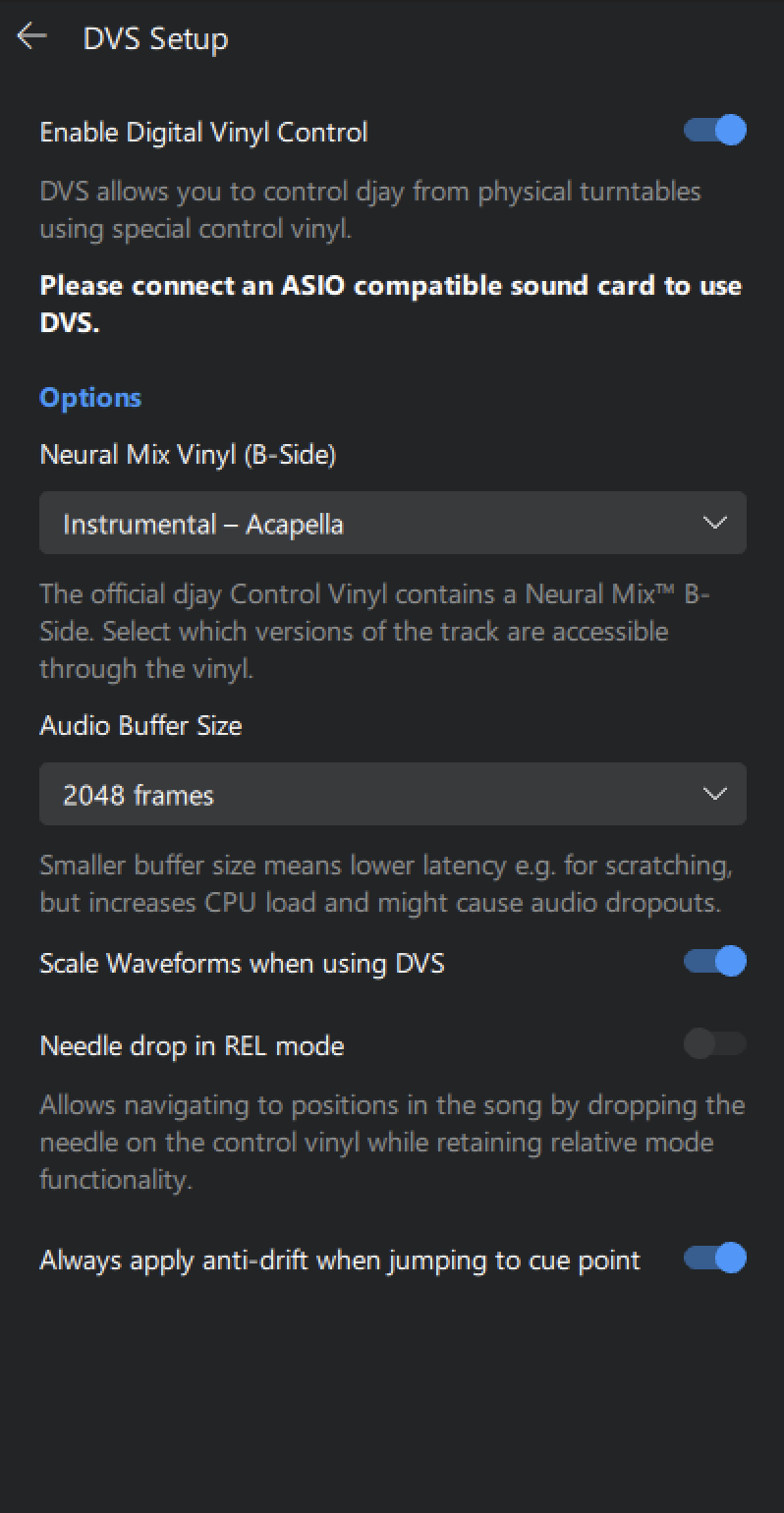
Enable DVS
Activates DVS in djay and adds DVS controls to the interface.
Keep this option disabled unless you are using official timecode vinyl.
Options
Neural Mix Vinyl (B-Side): Toggle between Neural Mix™ modes on the B-side of the timecode vinyl:
- Instrumental / Acappella
- Percussive / Tonal
This allows you to isolate or emphasize parts of the track while mixing live with vinyl.
- Audio buffer size: Sets the audio buffer size between djay and your system’s processor:
- Choose between 64-2048 frames
- Lower buffer = better responsiveness
- Higher buffer = more system stability
Use lower settings for scratch precision. Higher settings make playback more stable on older hardware.
-
Scale waveforms when using DVS: Adjusts the waveform display to match the speed of the real turntable when using DVS, giving you a more accurate visual reference as you scratch or change pitch.
-
Needle drop in REL mode: When enabled, dropping the needle will jump to the correct point in the track while using relative timecode mode.
-
Always apply anti-drift when jumping to cue point: When active, the software compensates for minor needle jumps or degraded timecode signals.
- Enabled: Track location sticks to the vinyl position—ideal for scratch-heavy sets.
- Disabled: Cue point jumps behave more predictably for routines like cue juggling.
Anti-drift works automatically in most cases. However, you can toggle it based on your style. Enable for scratch routines. Disable for precise cue juggling.
Go to the Connecting a Digital Vinyl System section for more information on DVS instructions.