


Advanced settings
The Advanced section gives you fine-tuned options for how cue points and loops behave, how recordings are saved, how video output is scaled, and how input devices like your trackpad interact with djay.
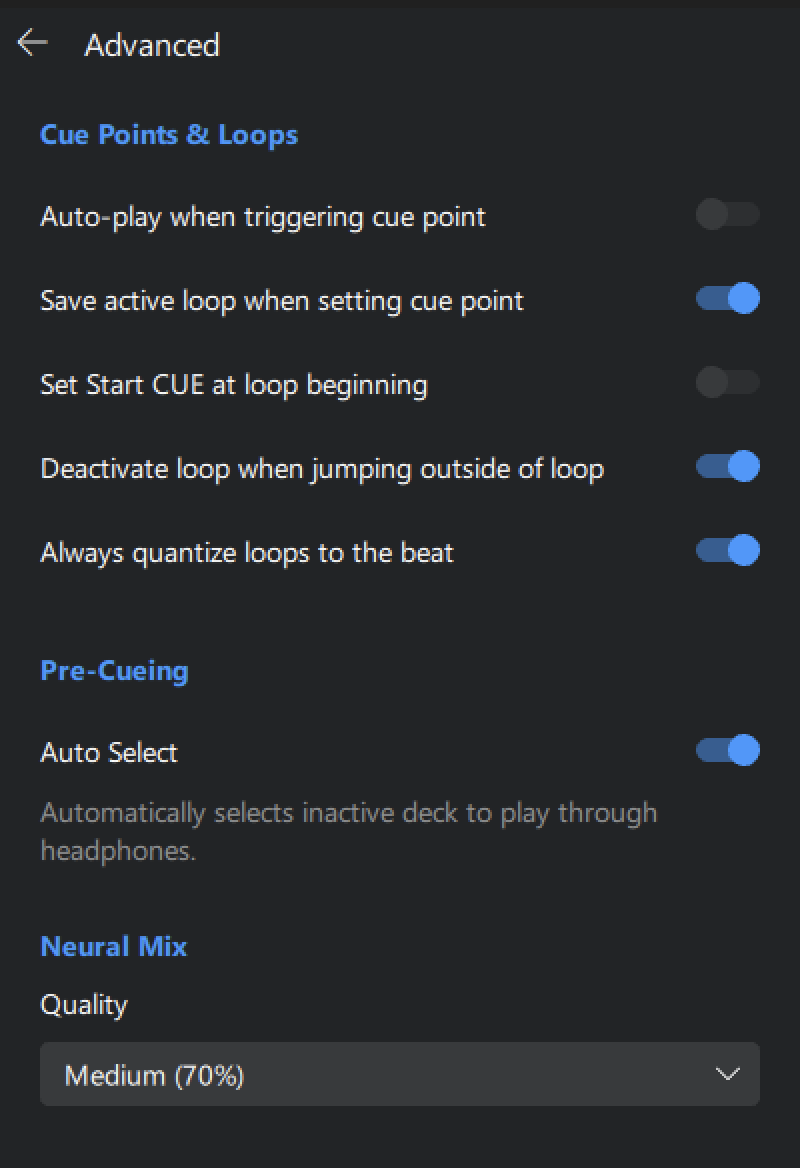
Cue points & Loops
- Auto-play when triggering cue point: Automatically starts playback when jumping to a cue point.
- Save active loop when setting cue point: Stores any currently active loop with the cue point, so both are recalled together.
- Set Start Cue at loop beginning: Automatically sets the start cue to the beginning of an active loop.
- Deactivate loop when jumping outside of loop: Exits a loop automatically when you jump to a cue or point outside the loop region.
- Always quantize loops to the beat: Ensures all loop points snap to the nearest beat for tighter timing.
Pre-cueing
- Auto select: Automatically selects the deck that isn’t playing as your pre-cue source in headphones.
Neural Mix
- Quality: This shows the current quality level (e.g. Maximum or High) used for Neural Mix™ separation. djay automatically adjusts the quality based on your device’s processing power to give you the best performance possible.