


Advanced settings
The Advanced section gives you fine-tuned options for how cue points and loops behave, how recordings are saved, how video output is scaled, and Neural Mix™ quality.
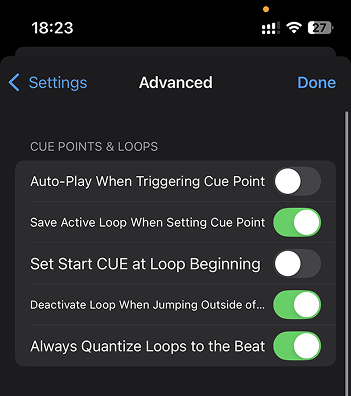
Cue points & Loops
-
Auto-play when triggering cue point: Automatically starts playback when jumping to a cue point.
-
Save active loop when setting cue point: Stores any currently active loop with the cue point, so both are recalled together.
-
Set Start Cue at loop beginning: Automatically sets the start cue to the beginning of an active loop.
-
Deactivate loop when jumping outside of loop: Exits a loop automatically when you jump to a cue or point outside the loop region.
-
Always quantize loops to the beat: Ensures all loop points snap to the nearest beat for tighter timing.
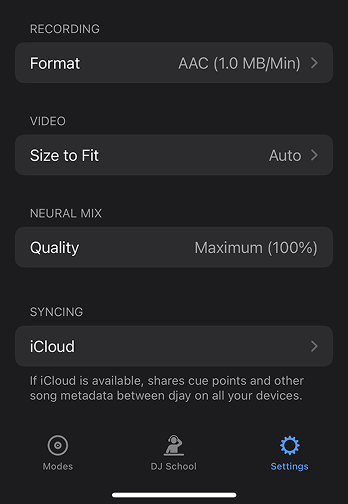
Recording
- Format: Choose your preferred recording format—AAC (compressed, smaller file size) or WAV (uncompressed, higher quality).
Video
-
Size to fit: Adjusts how video output is scaled in the video mix.
- Auto: djay automatically chooses the best fit for your content.
- Fill: Stretches the video to fill the entire screen or frame.
- Fit: Maintains the video’s aspect ratio, adding borders if necessary.
Neural Mix
- Quality: This shows the current quality level (e.g. Maximum or High) used for Neural Mix™ separation. djay automatically adjusts the quality based on your device’s processing power to give you the best performance possible.
iCloud syncing
Displays the current iCloud sync status and the date/time of the last sync update. Helpful for tracking if your data is up to date across devices.
Learn how to enable and test iCloud syncing on your Apple device via our support page.