


Midi settings
The MIDI settings let you connect, configure, and customize your DJ controllers. From pairing devices to adjusting scratch response, this section helps you tailor djay to your preferred hardware setup.
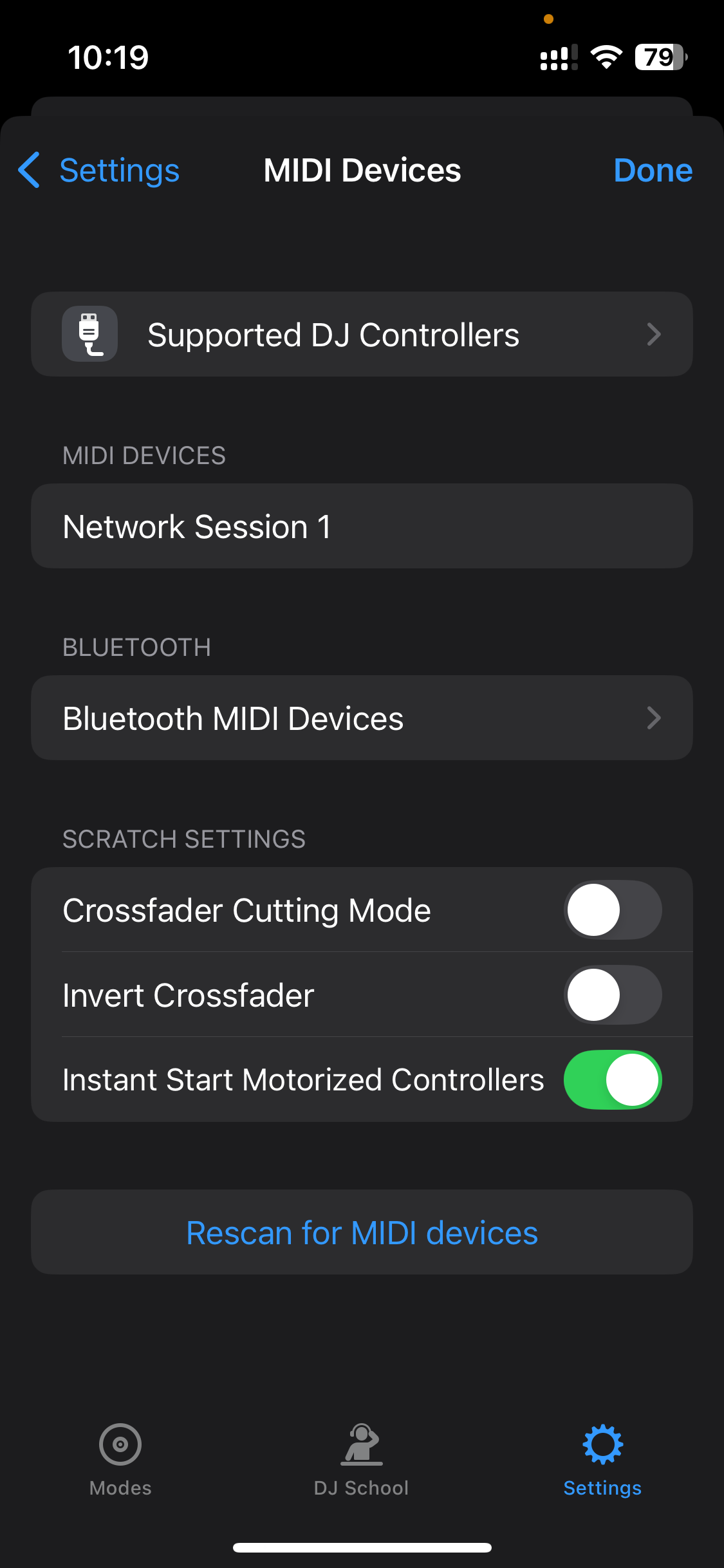
Supported DJ controllers
Shows the recommended and full list of supported MIDI controllers. A complete list of compatible hardware is available on the DJ Gear page.
MIDI devices
When a controller is connected, use this section to add or edit MIDI mapping controls. (Go to the MIDI Mapping section for details.)
Bluetooth
Pair a Bluetooth MIDI device for wireless control.
Scratch settings
-
Crossfader cutting mode: changes your hardware crossfader from a smooth fade to instant-cut mode. Ideal for scratch DJs.
-
Invert crossfader: reverses the crossfader’s left/right orientation.
-
Instant start motorized controllers: starts tracks immediately when pressing play on a motorized controller, bypassing platter spin-up. Provides tighter response for scratching and precise cueing.
Rescan for MIDI devices
Tap to refresh the list if your connected MIDI device doesn’t appear.