


Effects overview
Effects are one of the most creative tools a DJ can use—they shape the energy of a track, add texture, and help you put your own stamp on a mix. With djay, you can choose how to work with FX in a way that fits your style.
Whether you prefer the streamlined controls in Essential tools, the hands-on flexibility of the Effects toolbar, or the deeper customization in the Effects section, djay gives you multiple workflows to suit any performance. You can keep things simple when you’re starting out, or build more complex effect chains as your sets get more adventurous.
-
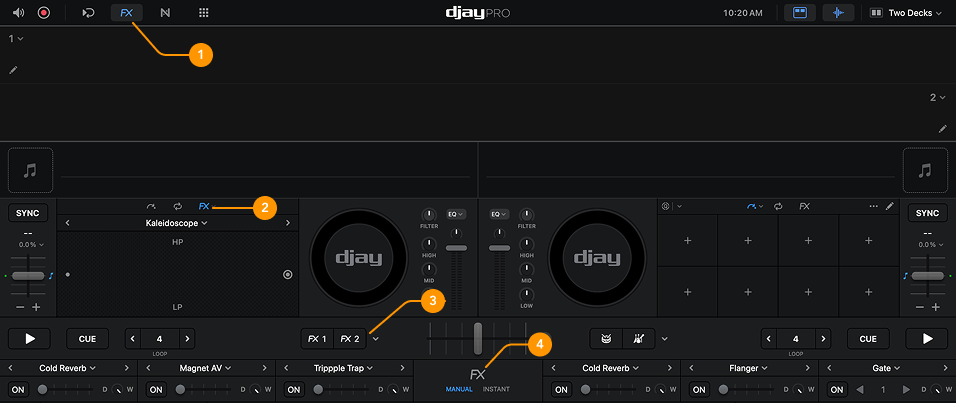
FX Bar: Opens the effects toolbar, giving you access to both Manual and Instant effects.
-
Effects section: Provides three modes for working with FX: Manual, Instant, and Pad.
-
Essential Tools: Gives you two dedicated FX channels next to each deck, available even when the FX panel is closed.
-
Effects Toolbar: Lets you browse and switch between all available Manual and Instant effects directly from the toolbar.
Customize your effects across the FX section, Essential tools, and Effects toolbar so your favorites are always available.