


My controller is not working correctly after updating Windows
Microsoft has started the rollout of the new Windows MIDI Services, which contain known issues that may prevent some DJ controllers from working correctly. This article walks you through checking for the affected updates, and uninstalling them to restore DJ controller functionality.
This issue has been reported after installing recent Windows 11 updates. The affected updates may include, but are not limited to:
- KB5074105
- KB5077181
- KB5077241
Troubleshooting steps
As a first step, we would recommend applying the MIDI timestamp fix from the following guide from Microsoft. The files required to apply the fix can be found in the "Assets" section at the bottom of the guide.
Next, open the Microsoft Store and use Check for updates to make sure djay is fully up to date.
We recently released a supplemental update via the Microsoft Store that fixes an issue where some controllers are not detected by djay. Once updated, relaunch djay with your controller connected and powered on.
If your controller is still not detected, try disconnecting it and connecting it again, whilst djay is open. Trying a different USB port can also help in such cases.
If those steps don’t resolve the issue, apply the steps from this video:
If carrying out those steps still doesn't fix the issue, continue with the steps below. Until Microsoft releases an update that fixes this problem, you may need to uninstall the affected updates from your system.
How to uninstall the updates
-
Open the Windows Settings.
-
In the left sidebar, select Windows Update.
-
Click Update history to see the updates installed on your PC (sorted by date).
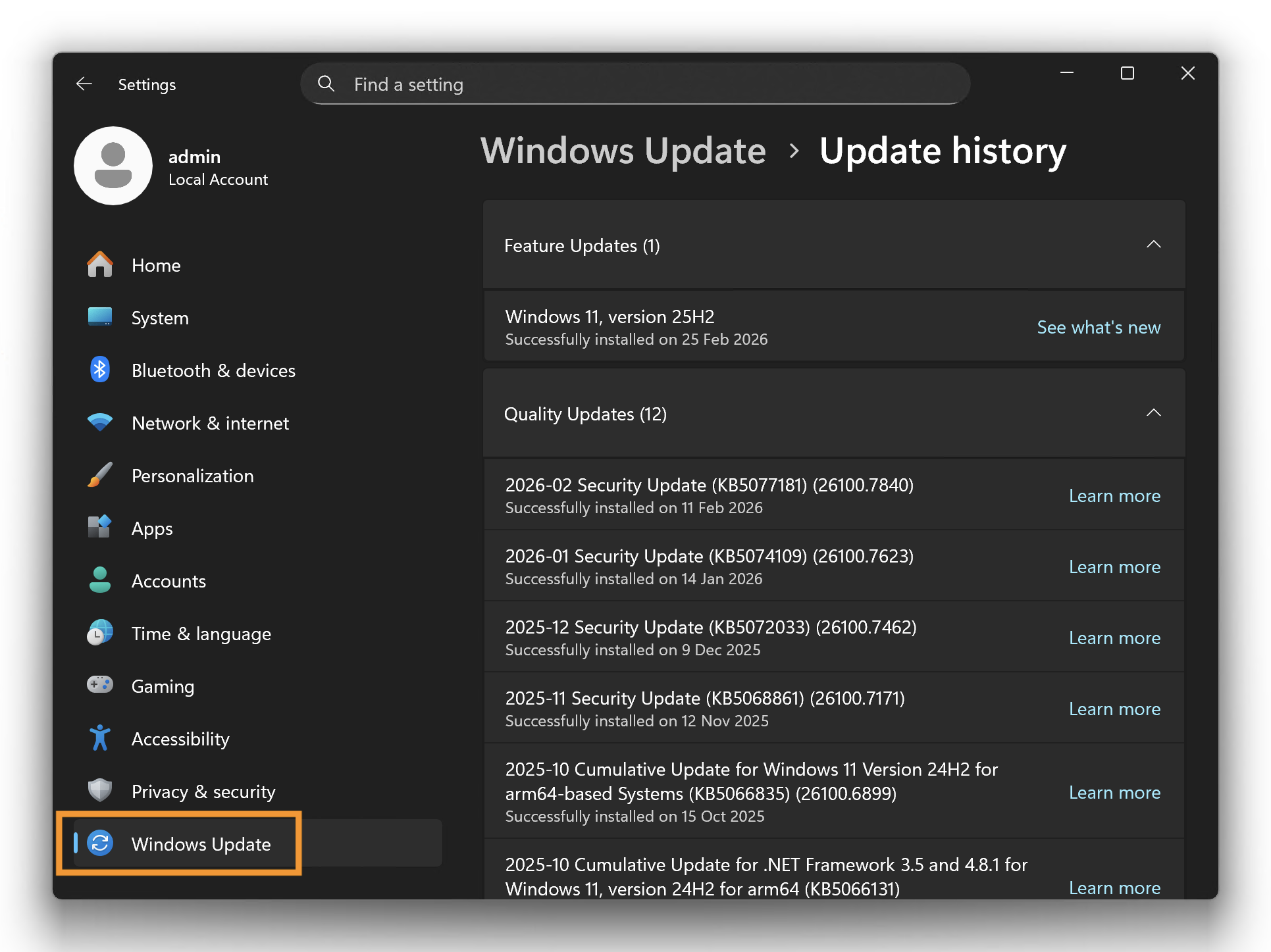
-
Confirm whether an affected update is listed (KB5074105, KB5077181, KB5077241).
-
If you don’t see any of these updates listed, your PC may not have received the new Windows MIDI Services yet. In that case, please visit our troubleshooting article instead: Hardware not recognized.
-
If you do see any of the affected updates, scroll down to the bottom of the page and select Uninstall updates.
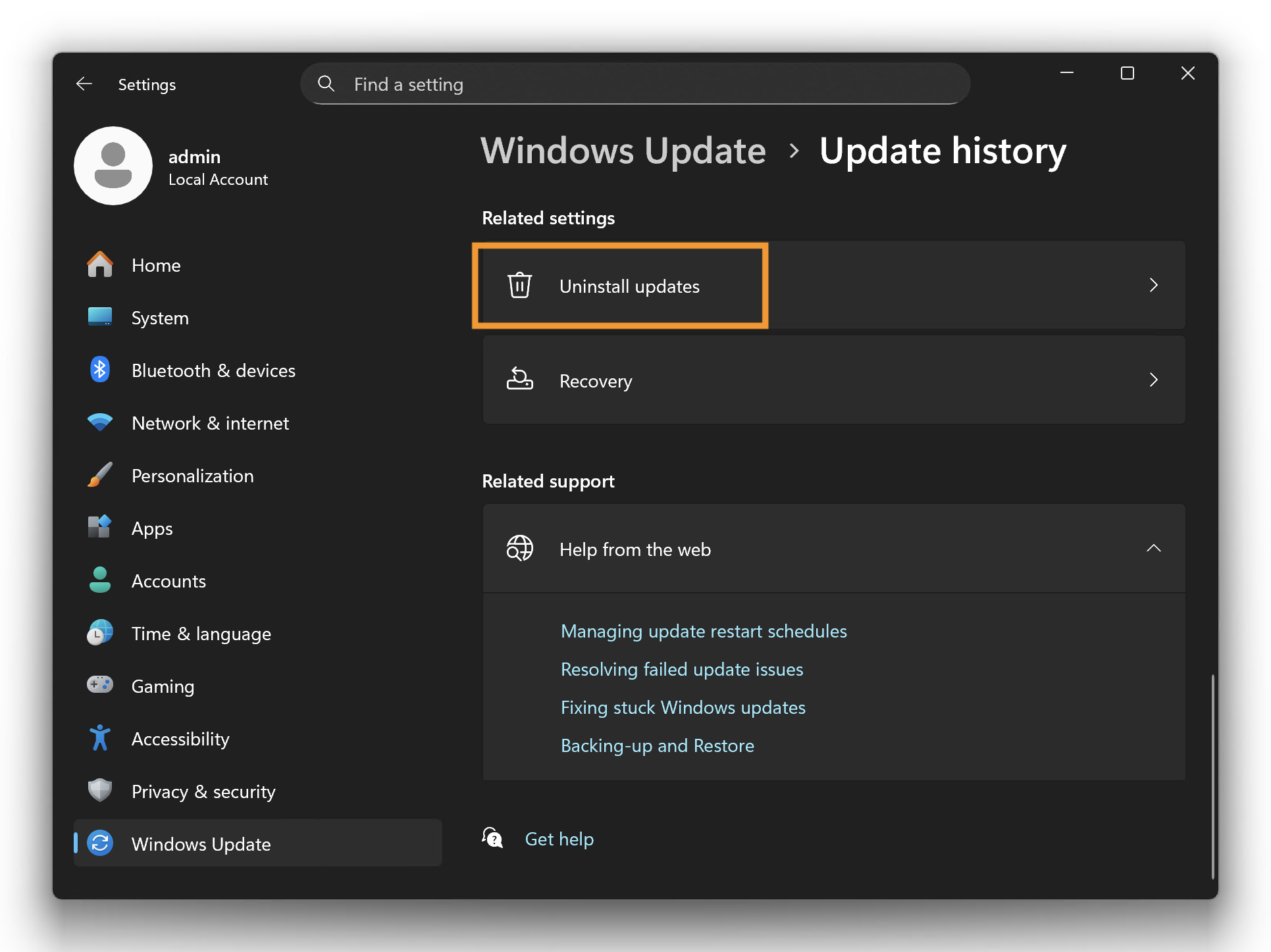
- Click Uninstall next to the affected update and confirm (KB5074105, KB5077181, KB5077241).
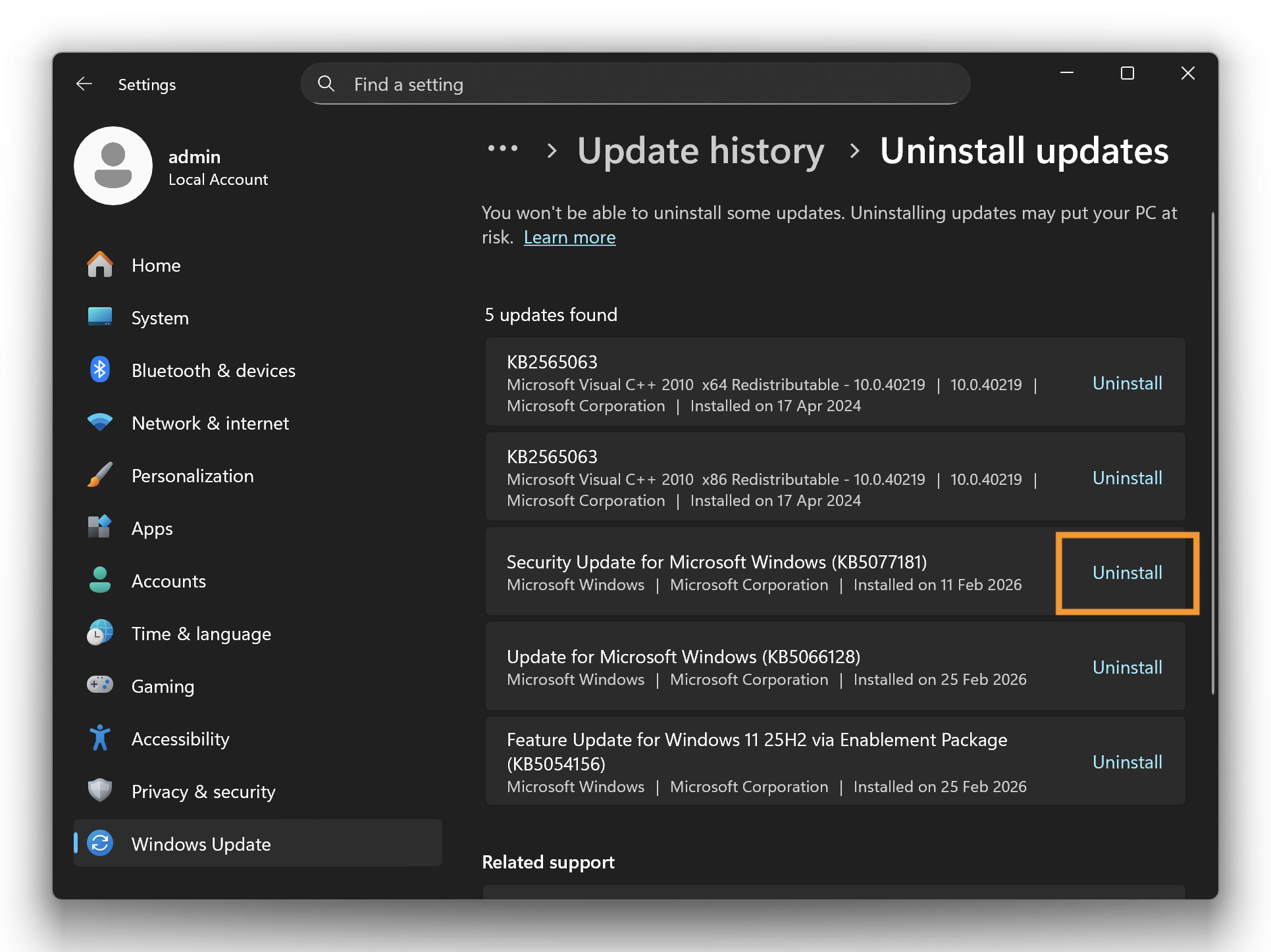
-
Restart your PC.
-
Open djay and test your controller again — it should now be detected and respond normally.
To prevent the issue from happening again
While this issue is ongoing, we recommend pausing Windows updates to prevent the same update from being reinstalled.
-
Open the Windows Settings.
-
Go to Windows Update.
-
Select Pause updates and choose the longest pause duration available. This helps prevent Windows from reinstalling the same update while the issue is ongoing.
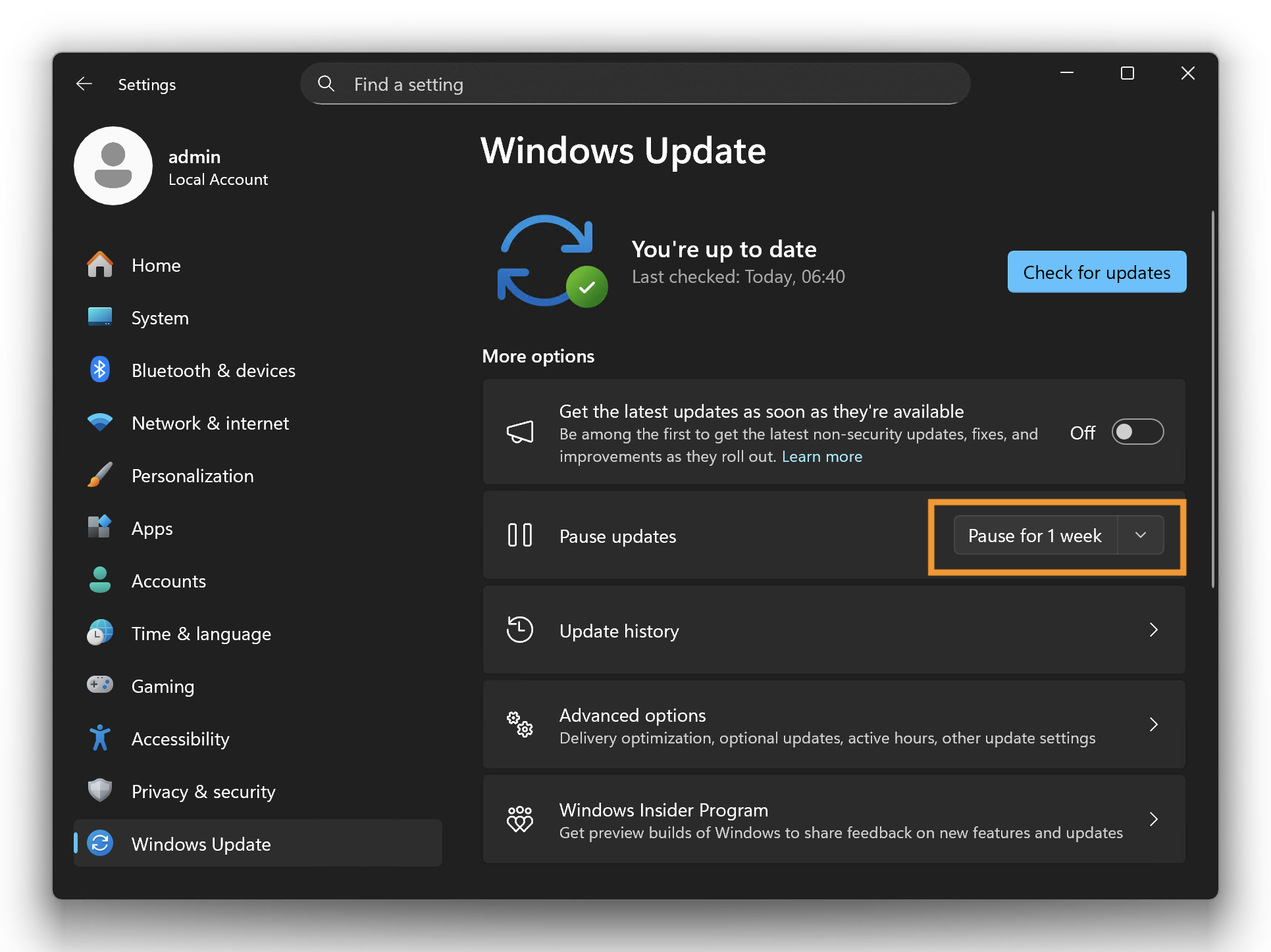
If the issue returns after updates resume, pause updates again until Microsoft releases a fix.
Whenever possible, avoid installing Preview updates. They can introduce changes that affect compatibility with apps and hardware (including MIDI controllers).