


Effects toolbar
The Effects toolbar is designed for flexibility, letting you switch between Manual and Instant modes depending on how you like to perform. Whether you want fine control over multiple effects per deck or fast, one-click triggers, the Effects toolbar puts creative sound-shaping tools within easy reach.
To open the Effects toolbar, click the FX bar in the main toolbar.
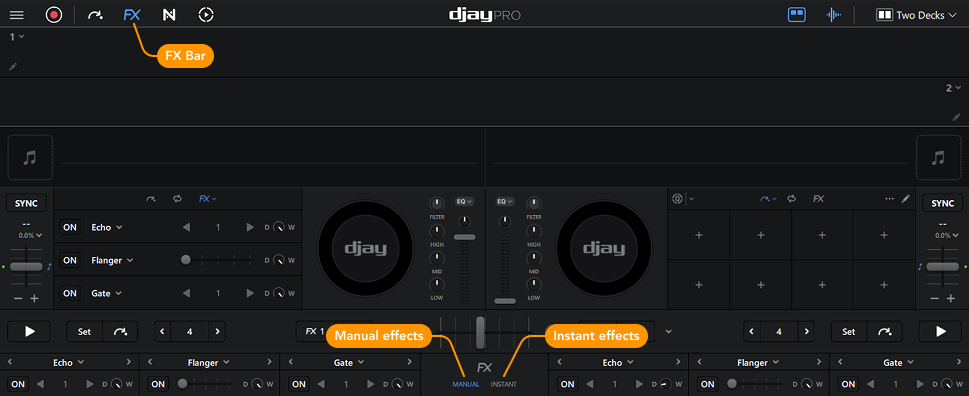
The Effects toolbar shows all available effects via the toolbar. In the center, you can switch between showing Manual or Instant effects.
Manual effects
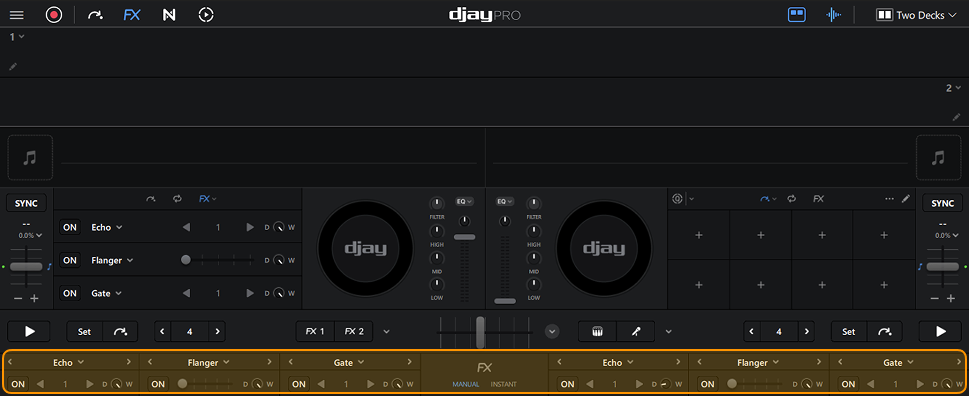
Access up to three effects per deck and change them by clicking the effect name. Use the controls beneath each effect to turn them on/off, adjust the dry/wet mix, and control effect intensity.
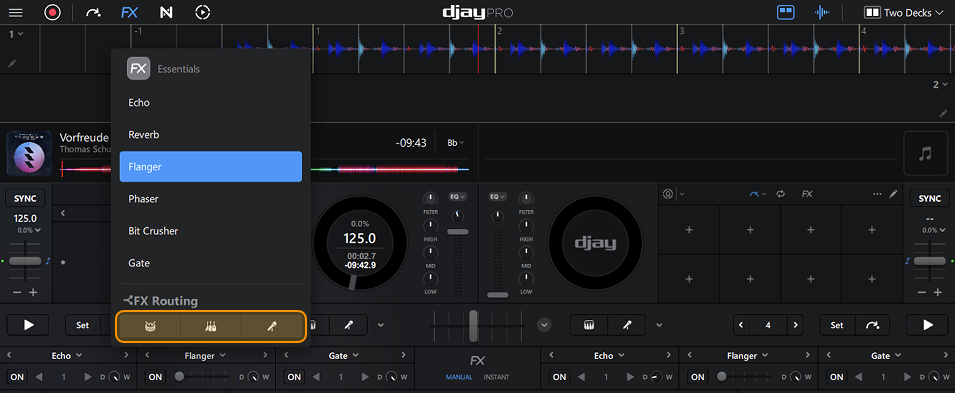
You can click the effect name and route each effect to the drums, harmonic, or vocal stems using FX routing.
Instant effects
Quickly access eight one-click effects.
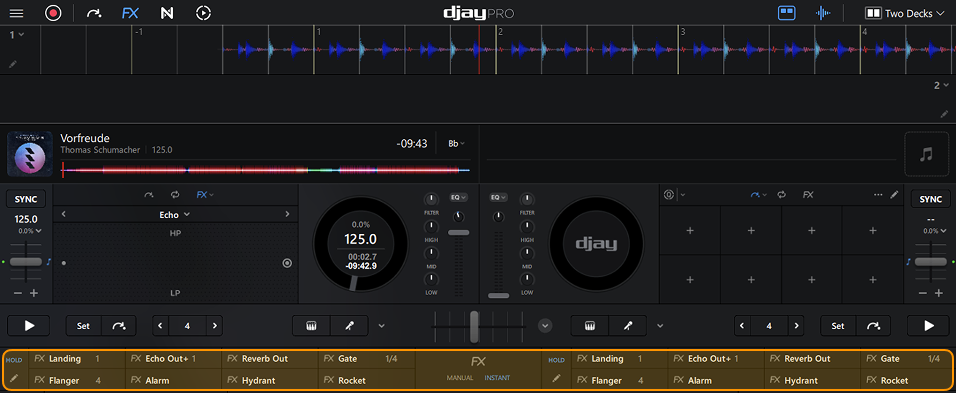
Use Edit Mode (pencil icon) to customize which effects are shown in the panel. You can also choose how effects are triggered. You can either tap or hold to trigger the effect manually, or activate Hold mode to keep the effect engaged automatically.
When the Hold icon is highlighted in blue, it means the effect will stay on until you turn it off.
