


Sampler
Sampler lets you trigger one-shot sounds and audio clips on top of your mix—live and in sync with the beat. It’s a powerful way to add layers, textures, and energy to your set. Use it to drop vocal chops, sound effects, percussion hits, or custom samples to create unique transitions, build tension, and play samples like an instrument.
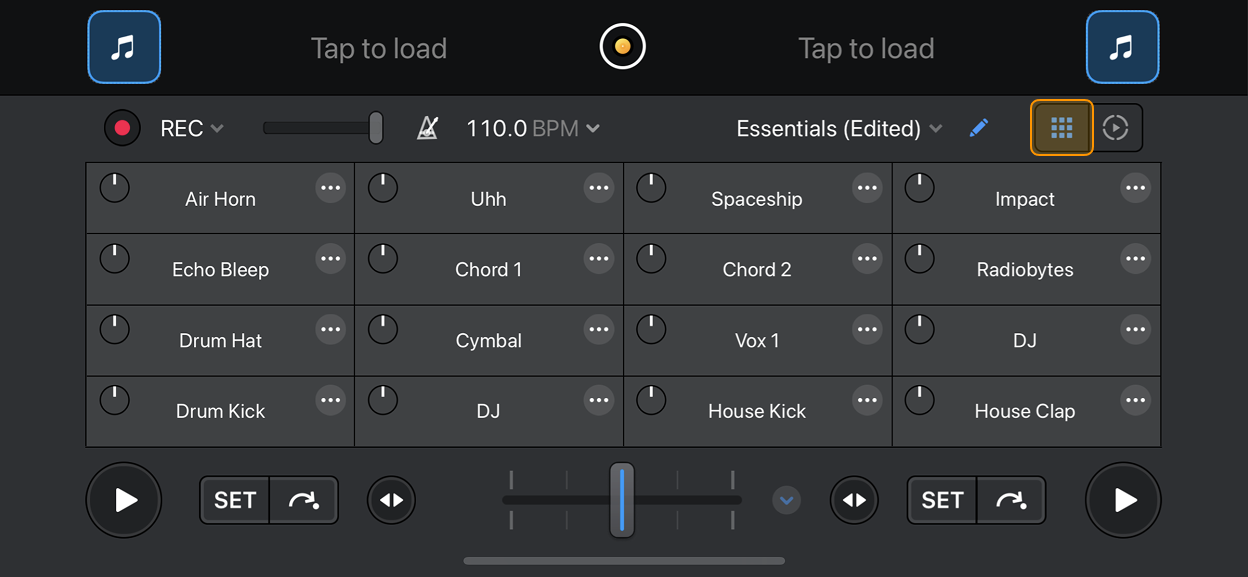
You can trigger samples using either the standard 4×2 sampler grid or the larger 4×4 grid for more creative flexibility.
To open the 4×4 Sampler grid, go to Dashboard > Looper, then tap the Sampler icon.
To open the 4x2 grid, tap Sampler/Looper in the main view.
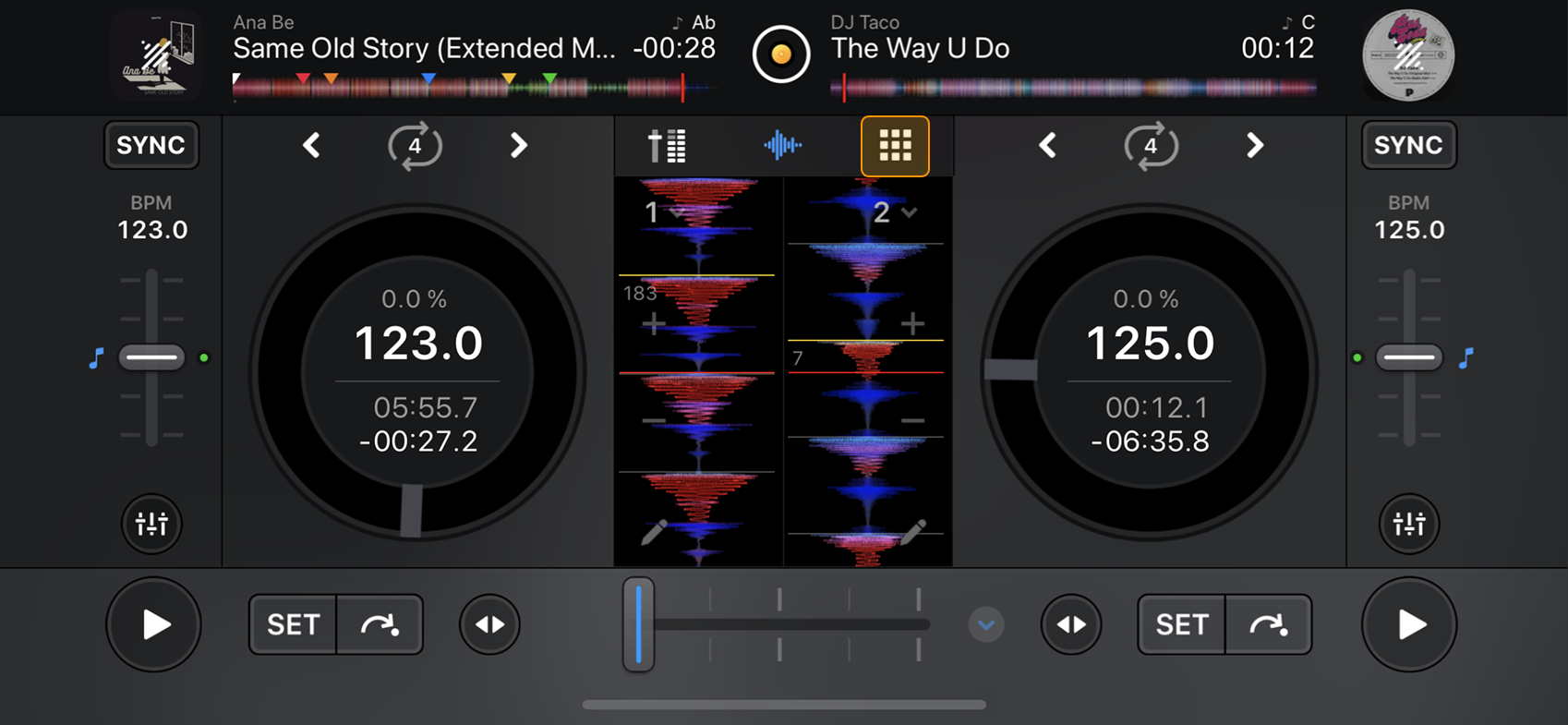
You can use Sampler with built-in sample packs or your own recordings. Use the 4×2 pad grid to launch one-shot samples such as vocals, drums, or FX.
-
Add or replace samples using the sample editor (pencil icon).
-
Adjust the volume knob on the left side of the pads to control the level of each sample.
Sampler overview
The Sampler lets you trigger sounds and sequence them live, adding texture, energy, and rhythm to your set. Use the Sampler controls to build layers, create fills, or add custom sounds in sync with the beat.
The layout may look slightly different depending on whether you have chosen the 4×2 or 4×4 grid view.
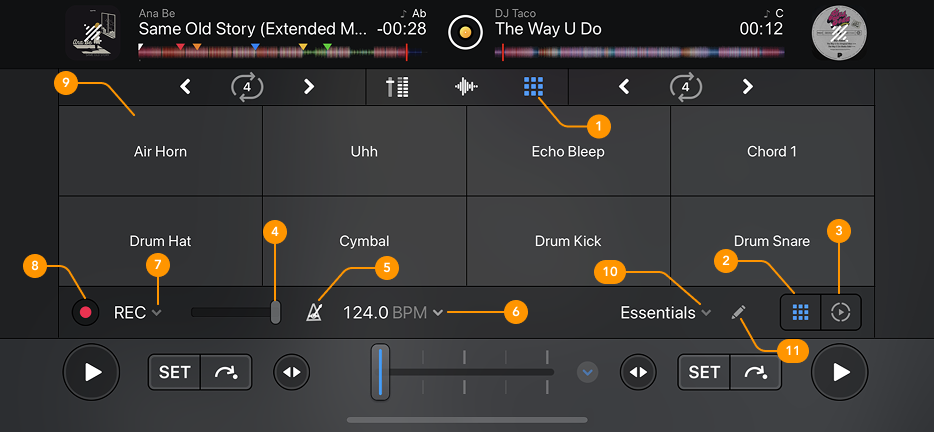
The following overview shows the 4x2 view.
-
Sampler/Looper icon: Opens the Sampler and Looper controls.
-
Sampler: Selects the Sampler view.
-
Looper: Selects the Looper view. More about this in the Looper section.
-
Volume slider: Adjusts the playback volume of your samples.
-
Metronome: Use the Metronome to help you stay in time with the set BPM.
-
BPM: Sets the BPM for both the Metronome and Sampler Sequencer.
-
Sampler Sequencer options: Choose the sequence length and Quantize settings.
-
Record button: Records your Sampler sequence.
-
Sample grid: Shows the 8 samples available in the selected sampler pack.
-
Sample packs: Choose from different sample packs using the dropdown menu.
-
Sample editor: Swap or remove samples, or record short samples directly from Deck 1 or Deck 2.
Sampler is only available with a PRO subscription.