


Looper
Looper is a fun and creative way to build layers, textures, and grooves live. Its simple grid layout and tight sample quantization make it easy to use—even in the middle of a set. Think of it as having eight synced channels, each made up of short loops you can trigger and combine with a tap or a press of a MIDI pad.
Looper is perfect for live remixing, jamming between songs, or adding percussive elements and atmosphere to your mix—without needing an extra deck. Whether you're filling a breakdown, building tension, or creating a track from scratch, Looper gives you hands-on control.
Choose from a growing list of genre-based loop packs, including Deep House, Hip Hop, EDM, Hardstyle, Trance, and more.
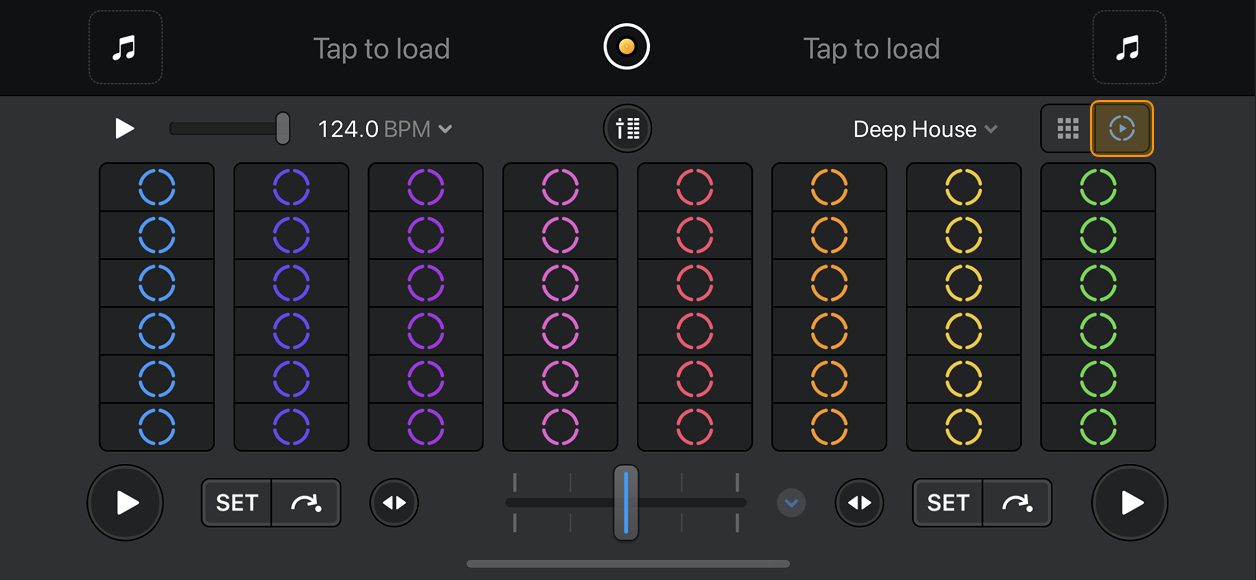
Looper lets you create new music on the fly using perfectly quantized loops with either a 8x6 grid or 4x4 sampler pads with built-in sequencer recorder.
To open the 8x6 grid, go to Dashboard > Looper, then tap the Looper icon.
The 4×2 grid offers a simplified layout with fewer loops and no individual volume sliders for each channel, making it ideal for quick performance setups.
To open the 4×2 grid, tap the Sampler/Looper icon in the deck view.
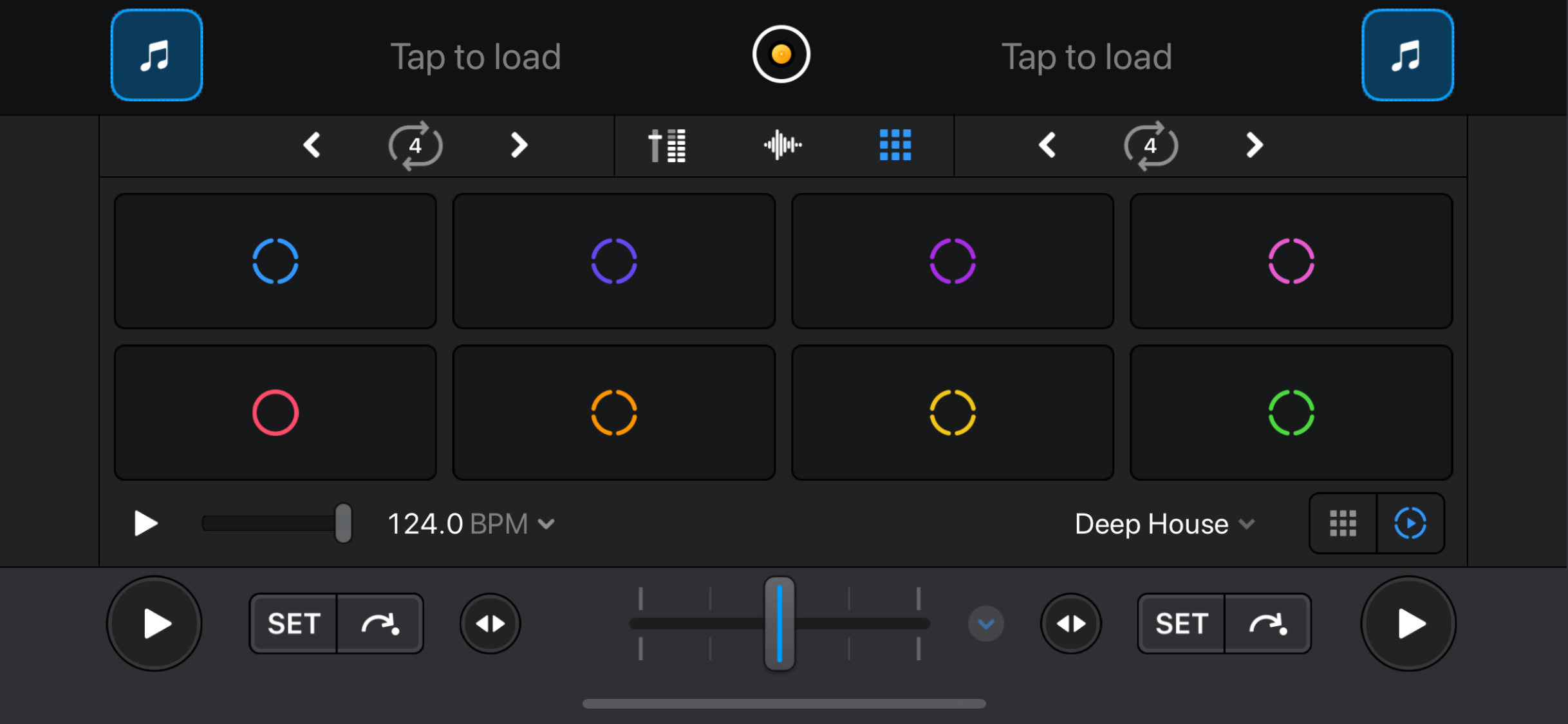
Looper overview
The layout may appear slightly different depending on whether you choose the 8×6 or 4×2 grid.
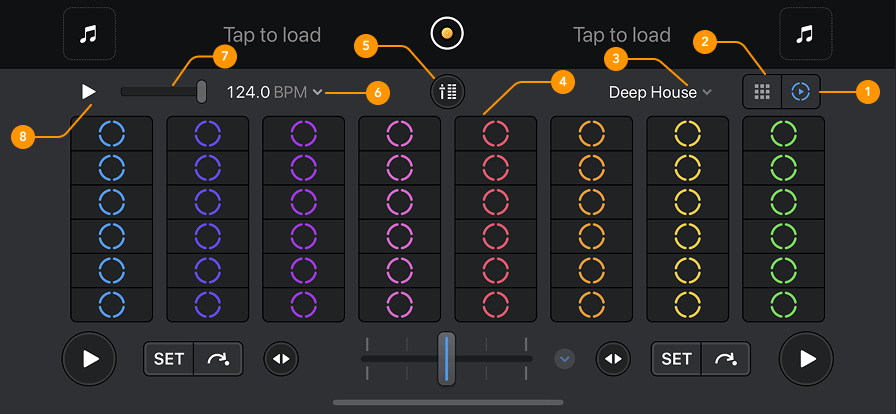
The following overview shows the 8×6 view.
-
Looper: Selects the Looper view.
-
Sampler: Selects the Sampler view.
-
Looper packs: Choose from a variety of Looper packs using the dropdown menu.
-
Looper grid: Displays loops in columns, with each column representing a different element such as kick drums, hi-hats, or vocals.
-
Mixer: Opens a mixer with a volume fader for each column to balance elements (available only in the 8×6 view).
-
BPM: Set the BPM for the Looper.
-
Volume slider: Adjusts the overall playback volume of your loops.
-
Play button: Starts or stops Looper playback.
Looper is only available with a PRO subscription.