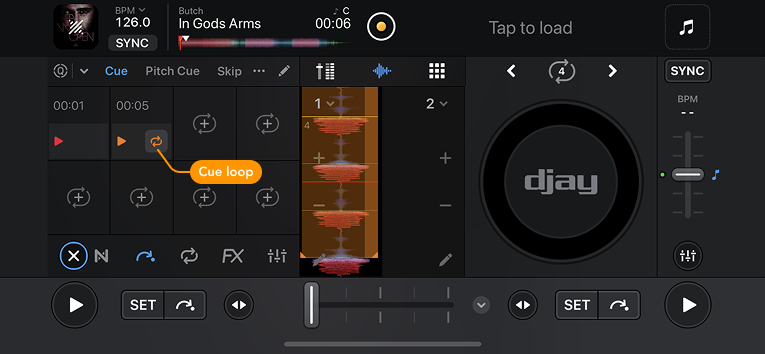
Cue loops
Cue loops let you save a loop together with a cue point, so you can instantly return to a section and loop it during your mix. This is useful for creating reliable mix-in points, building tension, or extending breakdowns.
When you create a loop and assign a new cue point, the loop is stored with that cue. Triggering the cue point will automatically activate the loop.
A Cue Loop icon appears on the right side of the assigned cue point pad. You can trigger this button to exit the loop, or use hardware mapped to the cue loop commands.
To edit hardware mappings, go to Settings > MIDI devices and tap the name of your connected controller. To learn more, go to the MIDI mapping section.