


DVS (Digital Vinyl System)
DVS lets you control djay using traditional turntables and special timecode vinyl. DVS brings the feel of vinyl into your digital setup, combining classic DJing techniques with modern features like Neural Mix™.
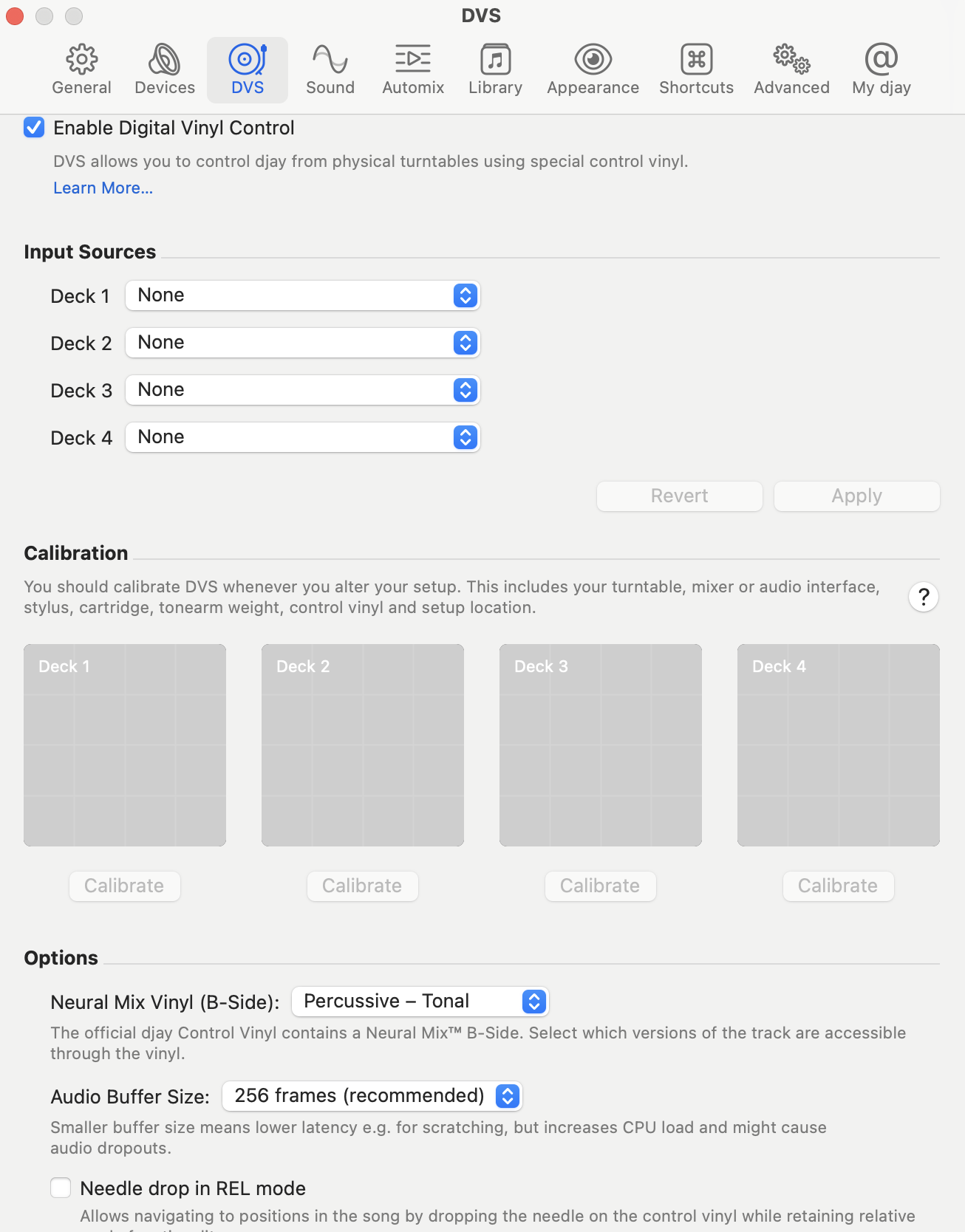
Enable DVS
Activates DVS in djay and adds DVS controls to the interface.
Keep this option disabled unless you are using official timecode vinyl.
Input sources
Assign the audio device and stereo input channels for your turntables. You can also switch between phono and line level input, depending on your hardware. Go to Connecting Hardware > Digital Vinyl System (DVS) for more information.
Many mixers and controllers include a hardware switch for phono/line selection.
Calibration
Shows real-time DVS calibration scopes and provides calibration buttons for each deck. Use this to check signal quality and correct any input alignment issues.
Go to the Connecting a Digital Vinyl System section for detailed DVS setup instructions.
Options
Neural Mix Vinyl (B-Side): Toggle between Neural Mix™ modes on the B-side of the timecode vinyl:
- Instrumental / Acappella
- Percussive / Tonal
This allows you to isolate or emphasize parts of the track while mixing live with vinyl.
- Audio buffer size: Sets the audio buffer size between djay and your system’s processor:
- Choose between 64 / 128 / 256 frames
- Lower buffer = better responsiveness
- Higher buffer = more system stability
Use lower settings for scratch precision. Higher settings make playback more stable on older hardware.
-
Needle drop in REL mode: When enabled, dropping the needle will jump to the correct point in the track while using relative timecode mode.
-
Always apply anti-drift when jumping to cue point: When active, the software compensates for minor needle jumps or degraded timecode signals.
- Enabled: Track location sticks to the vinyl position—ideal for scratch-heavy sets.
- Disabled: Cue point jumps behave more predictably for routines like cue juggling.
Anti-drift works automatically in most cases. However, you can toggle it based on your style. Enable for scratch routines. Disable for precise cue juggling.
Go to the Connecting a Digital Vinyl System section for more information on using DVS with djay.