


Adding music to your collection
My Collection lets you manage, edit, and organize your music directly within djay. You can create playlists that combine tracks from different sources—including your local library and supported streaming services—all in one place.

When you first open djay, My Collection will be empty until you add music.
How to add music to My Collection
-
Tap an empty deck and select My Collection from the dropdown menu.
-
Tap Music.

-
Tap Add songs.
-
Choose to add songs from the library or your own files.
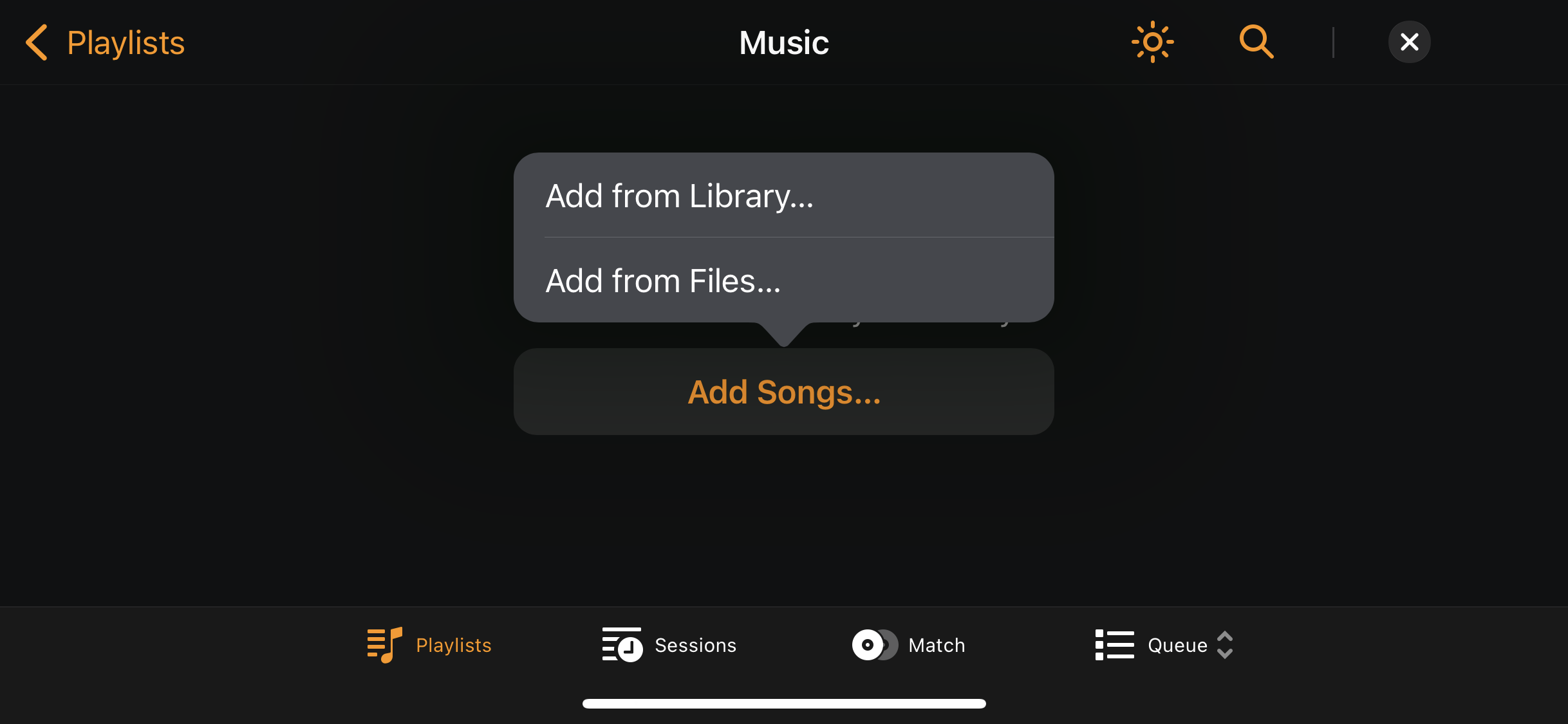
Adding songs from the library lets you bring in music from streaming services or your local collection. Adding from files lets you import songs stored on your device.
Adding songs from Library and Files
-
Go to My Collection.
-
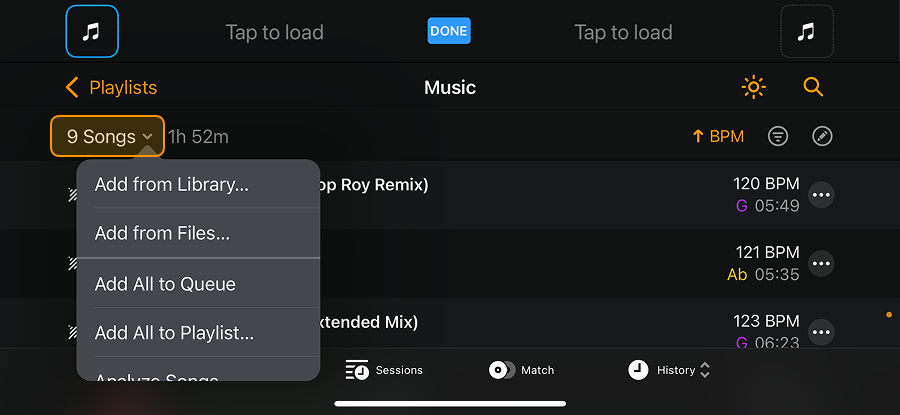
Tap the dropdown menu next to the track counter.
-
Choose whether to add songs from Library or Files.
-
Navigate to the songs you want to add.
-
Tap the + icon to add songs to My Collection.

- When you're finished, tap Done.
Adding tracks to djay only adds them to the database. It does not duplicate or move your original music files.