Mute FX
Mute FX adds polish to your mixes by replacing abrupt cuts with smooth echo tails when you mute or solo Neural Mix™ stems. Instead of dropping sounds instantly, stems fade out with an echo—making your transitions feel more natural and professional.
How to use Mute FX
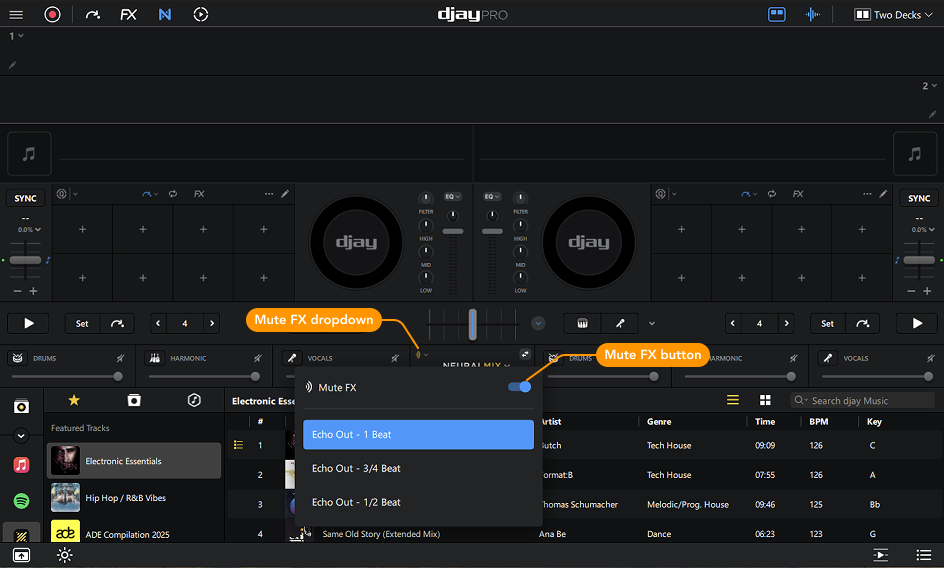
- Open the Mute FX dropdown menu in the Neural Mix™ toolbar
- Click the Mute FX button to activate
- Choose when you want the Echo Out to begin:
- 1 beat
- ¾ beat
- ½ beat
- When you mute or solo stems, an echo tail will now play instead of cutting the sound abruptly.