


Deck options
The Deck options let you customize how waveforms are displayed, control zoom, and enable whether jog wheels are shown. These tools help you personalize the interface and improve precision while mixing.
Accessing deck options
- Load a track to the deck.
- Click the dropdown menu in the corner of the waveform next to the deck number.
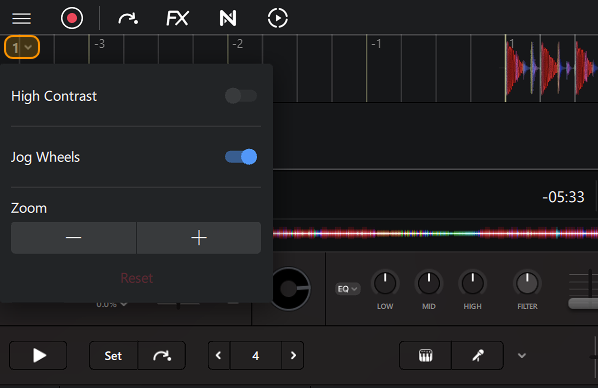
High contrast
High contrast increases the visibility of the waveform by boosting contrast against the background.
Jog wheels
Choose whether to show or hide the jog wheels.
Zoom
Zoom adjusts the level of detail you see in the waveform, helping with manual beatmatching and precise cue placement. Each waveform offers four levels of zoom, so you can see as much detail as you need.