


Beatgrids
Beatgrids are visual timing guides overlaid on a track’s waveform to help keep your music in sync. The beatgrid maps out where each bar and beat lands in a track so that you can make your mixes tight and time-based features like sync, effects, and loops stay locked to the beat.
When you load a track into a deck, djay automatically analyzes it to generate a waveform and estimate the beatgrid. The grid is based on two key elements: the track’s tempo (BPM) and the position of the first downbeat. The downbeat is the first beat of a bar and emphasizes the ”1” in the bar’s “1, 2, 3, 4” rhythm. It’s the anchor around which the rest of the rhythm is organized.
In the waveform, the yellow vertical line shows the downbeat of each bar, while the lighter vertical lines indicate the beats in between. This makes it easy to follow the rhythm visually and align multiple tracks with precision.

Straight vs. Dynamic beatgrids
For tracks with a steady tempo—such as most House or Techno music—djay will use a straight beatgrid because the rhythm follows a predictable 4 beats per bar timing.
For tracks with tempo changes (e.g., songs with live drums, tempo switches, or older recordings), djay uses a dynamic beatgrid that adapts to the song as it changes.
In other words, the beatgrid follows the song—the song doesn’t follow the beatgrid.
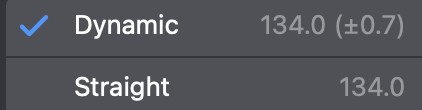
djay automatically analyzes each track to determine whether it should use Dynamic or Straight beatgrids, helping to keep your beatgrids perfectly aligned even with tempo changes.
You can change the beatgrid type in the Edit BPM options or turn off tempo change detection under Settings > Library.
Find out more about beatgrid options in the Beatgrid editor section.