


Looper
Looper is a fun and creative way to build layers, textures, and grooves live. Its simple grid layout and tight sample quantization make it easy to use—even in the middle of a set. Think of it as having eight synced channels, each made up of short loops you can trigger and combine with a tap or a press of a MIDI pad.
Looper is perfect for live remixing, jamming between songs, or adding percussive elements and atmosphere to your mix—without needing an extra deck. Whether you're filling a breakdown, building tension, or creating a track from scratch, Looper gives you hands-on control.
Choose from a growing list of genre-based loop packs, including Deep House, Hip Hop, EDM, Hardstyle, Trance, and more.
To open the Looper grid, tap the Sampler/Looper icon in Classic mode, and select Looper.
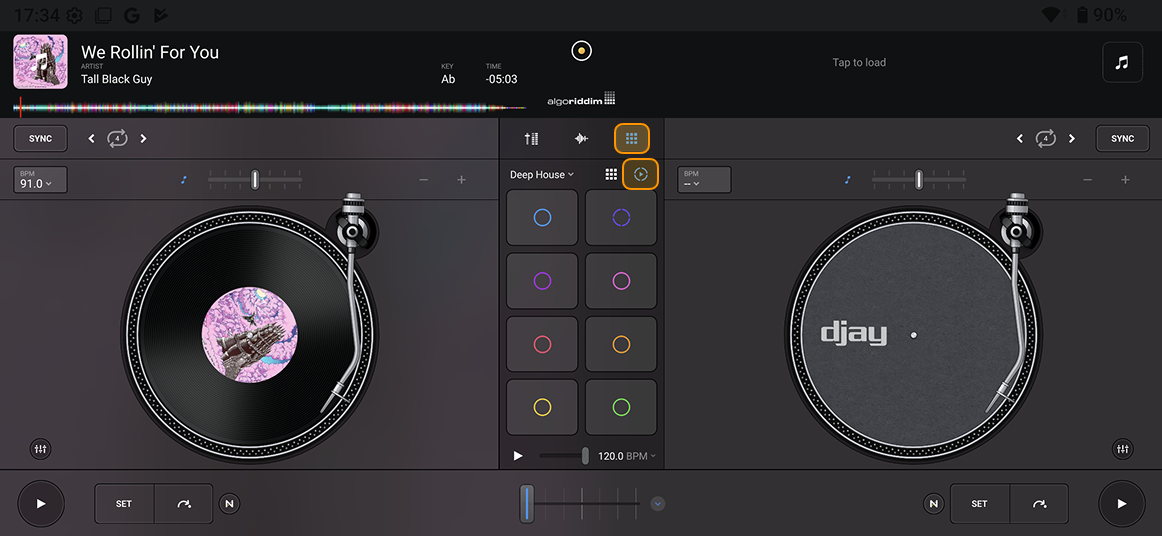
Looper overview
Looper is perfect for live remixing, jamming between songs, or adding percussive elements and atmosphere to your mix—without needing an extra deck. Whether you're filling a breakdown, building tension, or creating a loop from scratch, Looper gives you hands-on control.
-
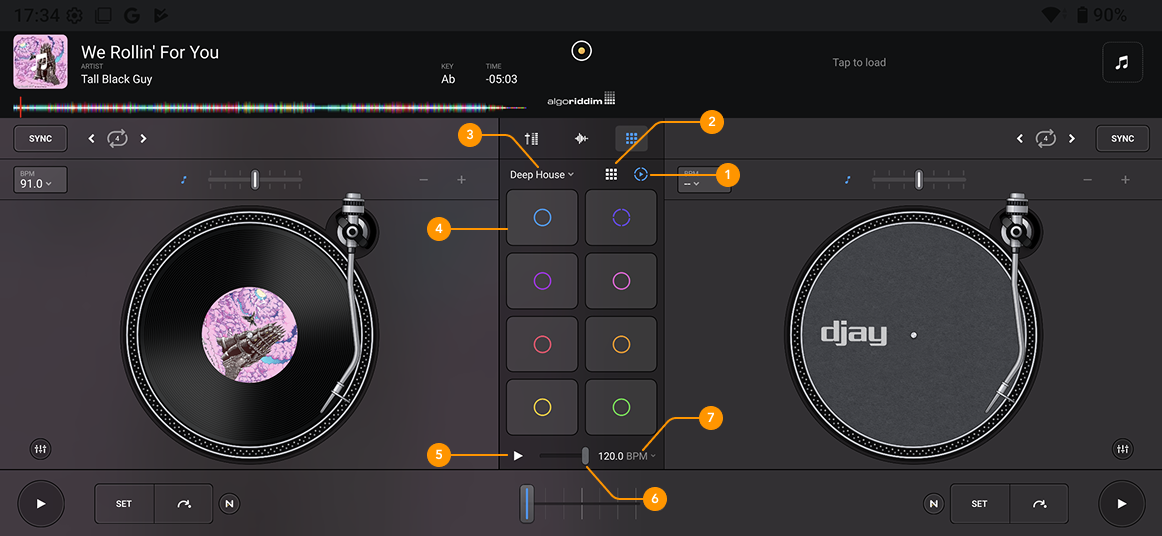
Looper: Selects the Looper view.
-
Sampler: Selects the Sampler view.
-
Looper packs: Choose from a variety of Looper packs using the dropdown menu.
-
Looper grid: Displays loops in columns, with each column representing a different element such as kick drums, hi-hats, or vocals.
-
Play button Starts or stops Looper playback.
-
Volume slider: Adjusts the overall playback volume of your loops.
-
BPM: Set the BPM for the Looper.
Looper is only available with a PRO subscription.