


Slip mode
Slip mode keeps the track playing silently in the background while you scratch, backspin, or juggle cues. When you let go, playback snaps back to the exact position it would have reached, so you never lose your place.
Slip mode works with both the virtual jog wheels in djay and supported hardware controllers, but you'll need to connect a controller to access Slip Mode.
How to enable Slip Mode
- Connect a controller.
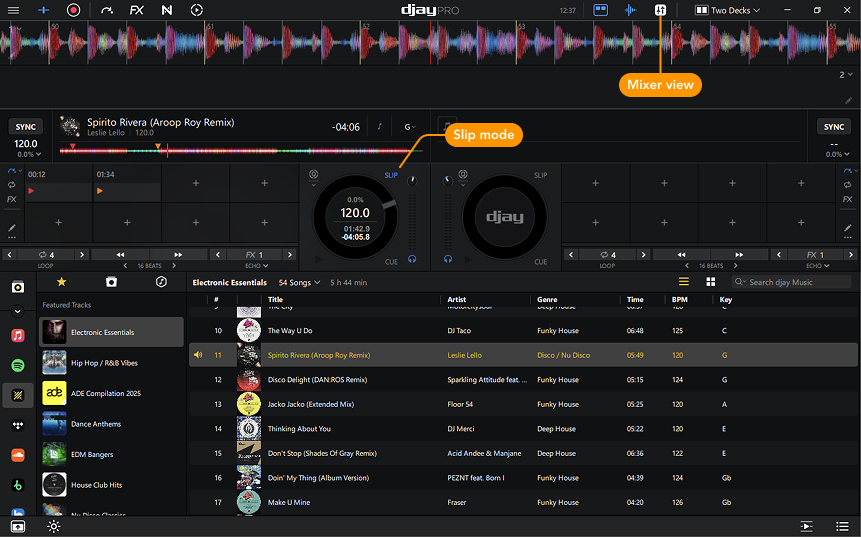
- Deactivate the Mixer view.
- Click the Slip Mode button to activate Slip Mode.
note
For help setting up external hardware, go to the Connecting Hardware section.