


Neural Mix™ tracks
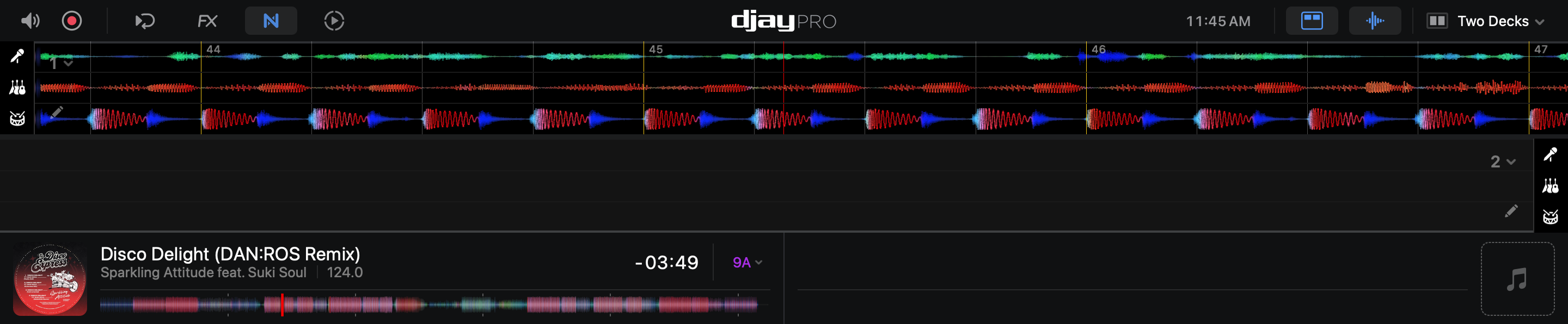
Neural Mix™ tracks split the scrolling waveform into individual stem waveforms, so you can instantly see the details of each stem.
To open the Neural Mix™ track view, go to the Deck options in the top corner of the waveform.
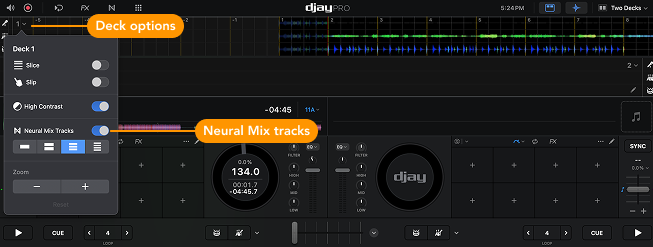
Choosing Neural Mix™ tracks
- Single waveform – Displays the default single waveform.
- Two stem waveforms – Splits the waveform to show Drums and Harmonics separately.
- Three stem waveforms: Splits the waveform to show Drums, Harmonics, and Vocals separately.
- Four stem waveforms: Splits the waveform to show Drums, Bass, Harmonics, and Vocals separately.
tip
Click the instrument icons next to the waveform to quickly solo the chosen stem.