


External Mixers
External mixing lets you route each deck’s audio signal from djay Pro into a physical DJ mixer. This setup gives you hands-on control over EQs, volume, and crossfading using your hardware mixer—ideal for club environments, multi-deck setups, or DJs who prefer using traditional gear.
djay Pro supports external mixing with up to four decks using a compatible mixer and audio interface.
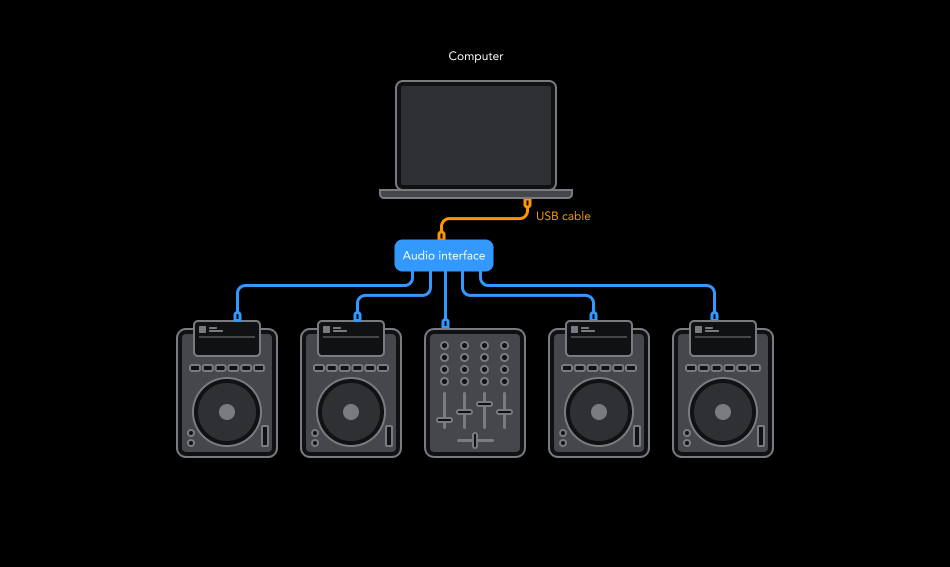
How to connect an external mixer
- If you're using both a mixer and a separate audio interface, connect the outputs of your audio interface to the corresponding channel inputs on your mixer.
- Connect the USB cable from your audio interface to your computer. djay Pro will automatically detect it and display a pop-up for audio routing setup.
- In the pop-up, click Advanced to open the Devices preferences.
- Switch your Audio mode to External using the tabs at the top. You can now assign stereo outputs for individual decks, pre-cueing, the Sampler, and the Looper.
- Click Apply to save your settings, and make sure your mixer is powered on.
- You're now ready to mix with djay Pro and your external DJ mixer.
tip
You can route your audio however you prefer, just keep track of which output goes to which mixer channel.