


Neural Mix™ EQ and crossfaders
With the mixer view and EQ icon active, use the EQ dropdown menu to switch between Classic EQ, Neural Mix™ EQ, and Neural Mix™ crossfaders.
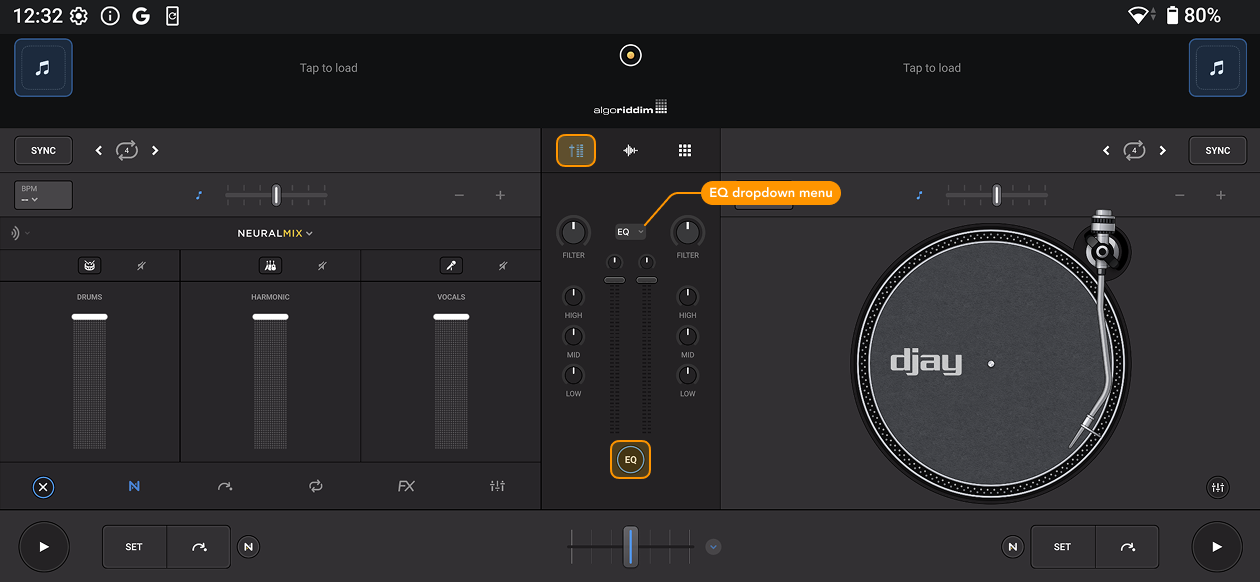
These options let you shape your sound traditionally or dive into stem-level mixing for more creative control.
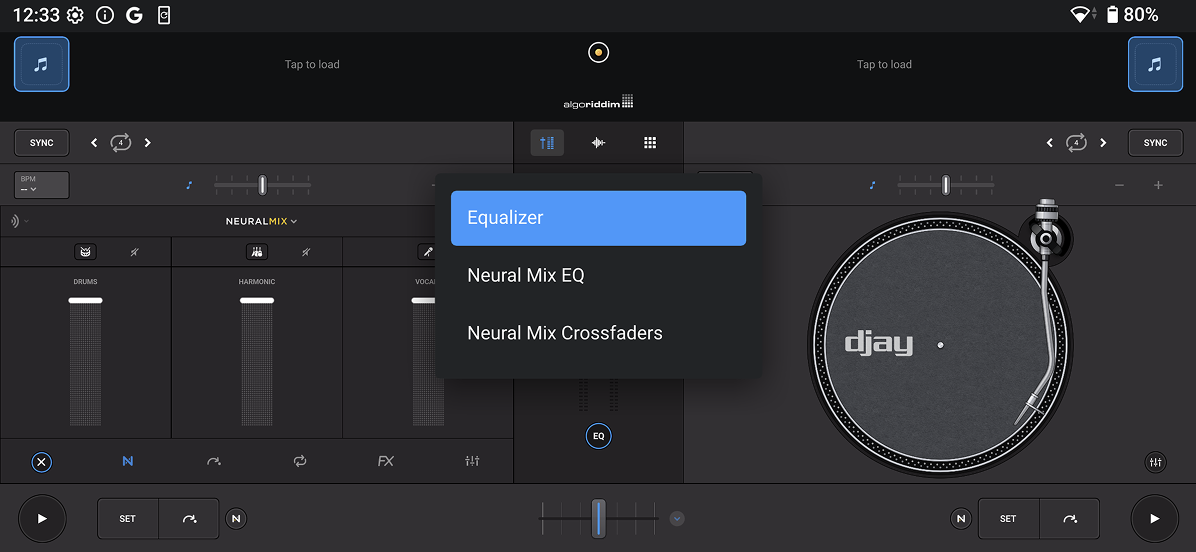
Equalizer
Equalizer (EQ) mode recreates the classic DJ mixer layout, letting you adjust the low, mid, and high frequencies of your tracks.
Neural Mix™ EQ
With Neural Mix™ EQ, the EQ knobs control track stems instead of frequencies:
- Low = Drums
- Mid = Harmonics
- High = Vocals
When switching between EQ and Neural Mix™ EQ, the EQ parameters will reset back to zero.
Neural Mix™ crossfaders
Neural Mix™ crossfaders let you blend or swap individual stems—such as vocals, drums, or bass—between tracks. This opens up new creative possibilities, from isolating vocals during a breakdown to swapping drum grooves across different songs.
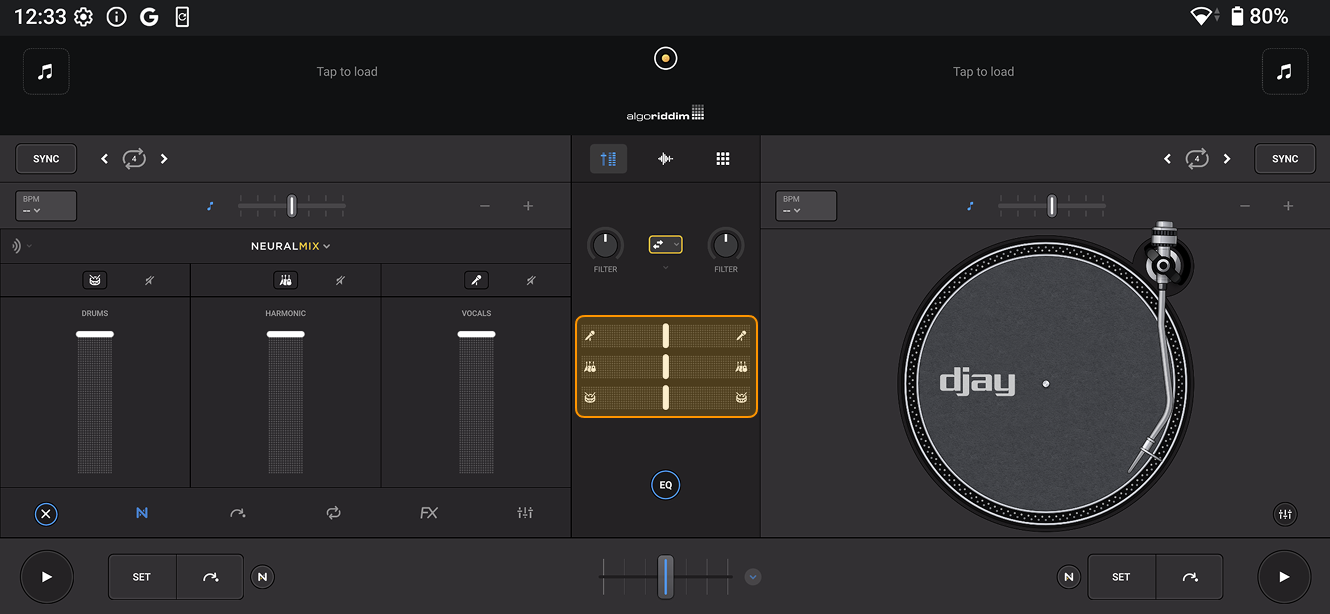
Swap vocals, drums, or harmonics between the two decks to create mashups and more creative transitions.