Changing key
Changing a track’s key opens up new creative possibilities in your mix. You can use it to make two songs harmonically blend, to shift a vocal into a different mood, or to add tension and release by pitching a track higher or lower.
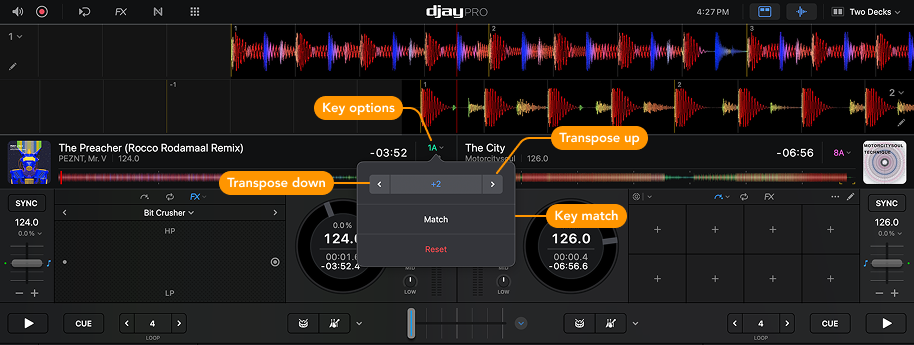
Use the Key options menu to match or change the key of your tracks. You can automatically match the key of two tracks using Key Match, or manually transpose the key up or down in semitone steps.
Transposing means shifting a track’s pitch higher or lower, without changing its speed. This can help harmonically blend songs in different keys or create new moods in your mix.
To open the Key options, click on the track key display in the deck information.